
Most businesses have backups.
Not all businesses can survive downtime.
There's a difference.
The Backup Myth
Your files are backed up nightly. USB drive. External hard drive. Cloud storage. Doesn't matter.
When disaster hits, you can restore the data.
Problem solved. Right?
Wrong.
Backup answers one question: "Can we recover our data?"
Business continuity answers the critical question: "Can we keep operating while we recover?"
These aren't the same thing.

What Backup Actually Does
Backup creates copies of your files at specific points in time.
Yesterday's financial records. Last week's customer database. This morning's documents.
The data exists somewhere else.
But data isn't operations.
Your employees can't work with data that's sitting on a backup drive. Your customers can't access services that are offline. Your business processes stop.
Even with perfect backups, you're down.
Recovery Time Objectives
This is where businesses fail.
Recovery Time Objective (RTO) is how long your business can survive without systems operational.
For some companies, it's hours. For others, it's minutes.
Email down for 4 hours? Annoying but survivable.
Payment processing down for 4 hours? Revenue lost. Customers frustrated. Reputation damaged.
Order management system down for a full day? Operations paralyzed. Staff idle. Shipments delayed.
Backup doesn't address RTO.
Business continuity does.
The Real Scenario
Server crashes Monday morning. Ransomware. Hardware failure. Doesn't matter.
With backup only:
- Data exists on backup drive
- IT locates backup device
- New hardware must be ordered or existing hardware repurposed
- Operating system reinstalled
- Applications reinstalled and configured
- Backup restored file by file
- Settings reconfigured
- Connections tested
- Users gradually brought back online
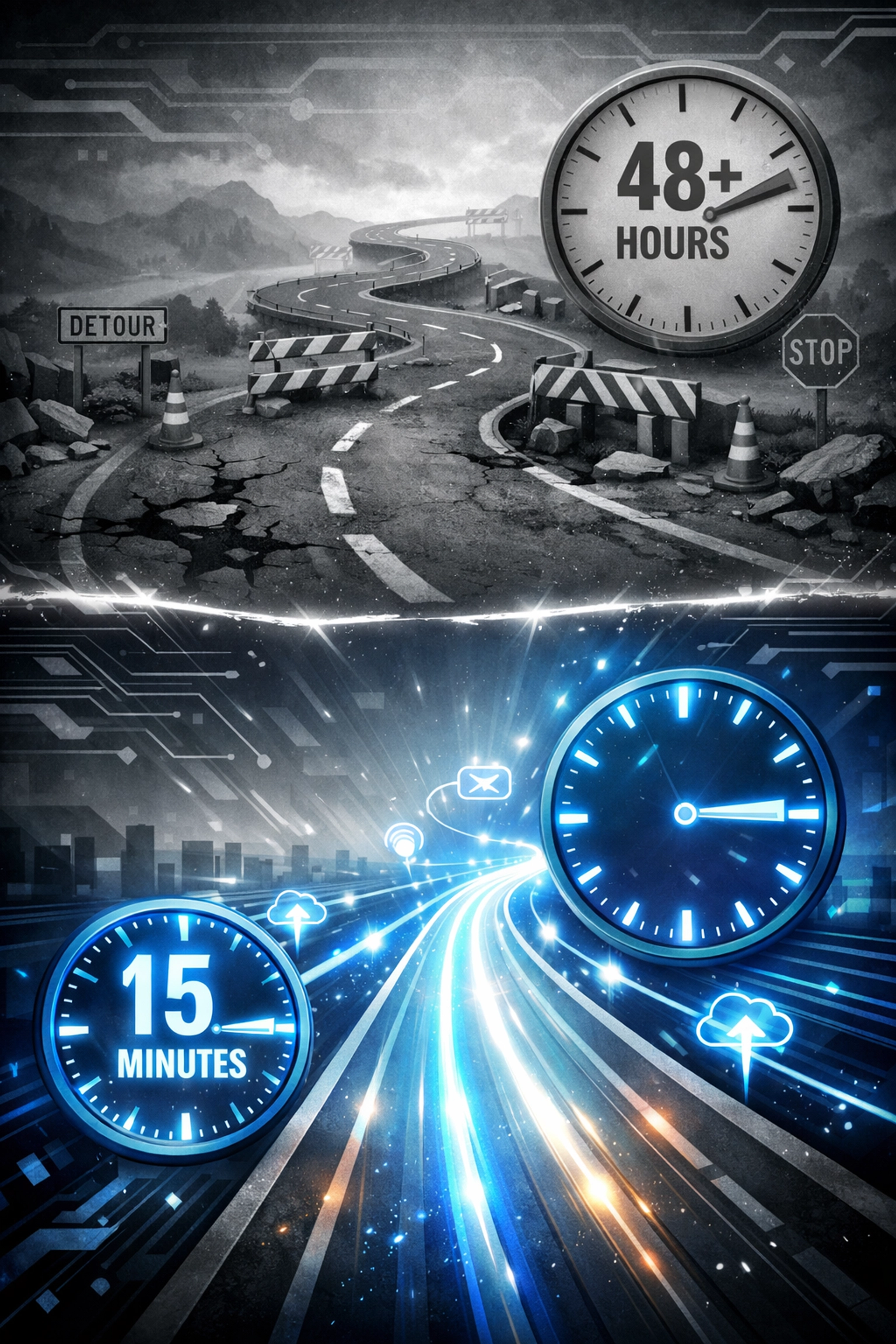
Timeline: 24-72 hours minimum.
Business impact: Severe.
With business continuity plan:
- Failover to redundant systems activated
- Cloud-based infrastructure takes over
- Employees access systems remotely
- Operations continue with minimal interruption
- Primary systems rebuilt in parallel
- Cutover when ready
Timeline: Minutes to hours.
Business impact: Minimal.
Backup Strategy Gaps
File-Level Limitations
Most backup solutions capture files and folders.
They don't capture the entire working environment.
Application configurations lost. System settings gone. Integration connections broken.
You get the files back. You don't get the functionality back.
Image-based backups capture complete systems. Operating system. Applications. Configurations. Everything needed to resume operations.
Still requires restoration time. Still creates downtime.
Location Vulnerability
Backup stored on-site protects against accidental deletion. Hardware failure. User error.
Doesn't protect against facility disasters.
Fire destroys the building. Both your servers and your backup device are gone.
Flood damages the office. Water doesn't discriminate between production and backup systems.
Theft occurs. Backup drives taken along with everything else.
Off-site backups address location risk. Cloud-based backups provide geographic separation.
But recovery still requires rebuilding infrastructure.
The Restoration Problem
Having backups and recovering from backups are different challenges.
Restoration takes time. Every minute of downtime costs money.
The process:
- Identify what needs restoration
- Access backup media
- Verify backup integrity
- Restore data to new or repaired systems
- Validate restoration completeness
- Reconfigure applications
- Test functionality
- Resume operations
Each step adds time. Each delay extends downtime.
What Business Continuity Actually Means
Business continuity planning focuses on maintaining operations during disruptions.
Not just recovering data. Keeping the business functional.
Key components:
System redundancy. Critical systems have failover capability. If primary systems fail, secondary systems activate automatically.
Alternative infrastructure. Cloud-based environments ready to take over. Employees can work remotely when office access is lost.
Documented procedures. Clear protocols for different disruption scenarios. Who does what. When. How.
Communication plans. How to reach employees, customers, vendors during crises. Contact lists. Notification systems. Status update procedures.
Testing and validation. Regular drills confirm the plan works. Identify gaps before real disasters occur.
Backup is one component. Not the entire solution.

Managed IT Services Approach
Professional managed IT services integrate backup into comprehensive business continuity strategies.
We don't just copy your files. We architect resilience.
Assessment. Identify critical systems. Determine acceptable downtime for each function. Map dependencies.
Infrastructure design. Build redundancy where needed. Implement failover capabilities. Establish cloud-based continuity infrastructure.
Automated protection. Continuous backup of critical systems. Image-based snapshots. Geographic distribution. Regular integrity verification.
Recovery planning. Document restoration procedures. Test recovery processes. Measure actual recovery times against objectives.
Monitoring and response. 24/7 system monitoring. Immediate alert on failures. Proactive issue resolution before disruptions occur.
The difference between "we have backups" and "we have business continuity" is preparation depth.
The Cost Equation
Small businesses often skip business continuity planning. Too expensive. Too complex. Unnecessary.
Until disaster strikes.
Average cost of IT downtime for small businesses: $137-$427 per minute.
One day of downtime: $200,000-$600,000 in lost productivity and revenue.
Business continuity planning costs a fraction of one downtime event.
The question isn't whether you can afford business continuity. It's whether you can afford not having it.
Common Misconceptions
"Our backup runs every night. We're covered."
Nightly backups mean you lose everything since last night's backup. If the disaster happens at 4 PM, you lose that entire day's work.
Continuous protection captures changes in real-time.
"Cloud storage is our backup."
Cloud storage is file synchronization. If ransomware encrypts your local files, it syncs the encrypted versions to the cloud.
True backup maintains separate, point-in-time copies that ransomware can't touch.
"We can restore from backup if needed."
Can you? When was the last time you tested restoration? Do you have the hardware to restore to? Can your business survive the restoration timeline?
Assumptions aren't plans.
What You Actually Need
Stop thinking about backup as disaster protection.
Start thinking about business continuity as operational insurance.
Effective managed IT services provide:
- Redundant systems architecture
- Automated failover capabilities
- Cloud-based continuity infrastructure
- Regular continuity testing
- Documented recovery procedures
- Rapid response protocols
Your data gets protected. Your business stays operational.
That's the difference.
Taking Action
Evaluate your current backup strategy. Ask critical questions:
How long can each business function be down? What's the recovery time from your current backup solution? When did you last test restoration? What happens if your facility is inaccessible?
If the answers concern you, it's time to move beyond basic backup.
Business continuity planning isn't optional for companies that can't afford extended downtime.
Have Questions? Contact us at 815-516-8075 or request more information.
We assess your current protection gaps and design business continuity solutions that match your operational requirements.
Your backup protects your data.
Your business continuity plan protects your business.
Know the difference.