
Category: blog
Small businesses remain exposed to the same core attack methods
The methods are now faster, more automated, and harder to identify
AI is being used to create convincing messages, automate reconnaissance, modify malware, and impersonate employees or vendors
The following threats require priority attention in 2026
1. AI-powered phishing and social engineering
Phishing messages are being generated and personalized with AI
Messages can include:
- Accurate employee names
- Current projects
- Vendor information
- Familiar writing styles
- Realistic payment details
- Correct grammar and formatting
Traditional warning signs are less reliable
Attackers are also using AI for:
- Voice cloning
- Deepfake video
- Fake customer service conversations
- Automated text messages
- Synthetic business profiles
- Malicious AI tools and browser extensions
Defense steps
Require MFA for email, cloud platforms, VPN access, payroll systems, and financial applications
Configure SPF, DKIM, and DMARC for company domains
Use email filtering that checks sender behavior, domain reputation, links, attachments, and authentication results
Require secondary verification for:
- Wire transfers
- Bank account changes
- Payroll changes
- Vendor updates
- Password resets
- Sensitive data requests
Verification should be completed through a known phone number or separate communication channel
Do not use contact information included in the original message
Security training should include AI-generated phishing and deepfake scenarios
The FTC small-business cybersecurity guidance provides a baseline for account security, employee training, and incident response
2. Ransomware and ransomware-as-a-service
Ransomware continues to affect businesses of every size
Ransomware-as-a-service has reduced the technical skill required to launch an attack
A criminal group can obtain:
- Initial access
- Malware deployment tools
- Payment infrastructure
- Data theft services
- Negotiation support
Common entry points include:
- Phishing
- Stolen credentials
- Unpatched VPN appliances
- Exposed remote desktop services
- Compromised software
- Infected endpoints
- Weak third-party access
Modern ransomware often includes data theft
Files may be copied before systems are encrypted
Businesses can face operational downtime, extortion, customer notification requirements, and recovery costs
Defense steps
Maintain multiple backup copies
Use an offline or immutable backup for critical data
Enable versioning and deletion protection where supported
Separate backup credentials from regular administrator accounts
Monitor backup jobs and alert on:
- Failed backups
- Mass deletions
- Configuration changes
- Encryption changes
- Unexpected administrator activity
Restoration should be tested on a schedule
A backup that has not been restored is not a verified recovery plan
Deploy endpoint detection and response on supported devices
Limit local administrator privileges
Disable unused remote access services
Require MFA for all remote access
Document isolation procedures before an incident occurs
3. Business email compromise and payment fraud
Business email compromise does not always require malware
An attacker may gain access to one mailbox and monitor conversations
The attacker then sends a message at the correct time
Typical requests involve:
- Urgent payment transfers
- Updated bank details
- New payroll instructions
- Gift card purchases
- Tax documents
- Customer account changes
- Vendor invoices
A compromised mailbox can also be used to create credible follow-up messages
Defense steps
Use MFA with phishing-resistant methods where available
Review mailbox forwarding rules
Block unauthorized external forwarding
Monitor new inbox rules and delegated access
Separate payment approval from payment initiation
Require two-person approval for high-value transactions
Verify every bank account change verbally
Use known contact information for verification
Train staff to report suspicious requests before responding
Use conditional access policies for unusual locations, devices, and login patterns
Review sign-in activity for cloud accounts
Revoke sessions when credentials are suspected to be compromised
4. Credential theft and account takeover
Credentials remain a primary access method
Attackers collect credentials through:
- Phishing pages
- Infostealer malware
- Password reuse
- Malicious browser extensions
- Fake software updates
- Credential stuffing
- Compromised vendor accounts
One password reused across email, cloud storage, and financial systems can expose multiple services
Defense steps
Require unique passwords for every system
Provide a business password manager
Enforce MFA across all externally accessible services
Use least-privilege access
Remove inactive accounts
Revoke access immediately when personnel leave
Review administrative accounts monthly
Separate administrator accounts from daily-use accounts
Block legacy authentication methods where possible
Monitor for impossible travel, unfamiliar devices, repeated failed logins, and unusual application access
5. Unpatched software and exposed systems
Attackers scan the internet for vulnerable systems
Small businesses are frequently exposed through:
- Operating systems
- Firewalls
- VPN appliances
- Routers
- Website platforms
- Plugins
- Remote management tools
- Line-of-business applications
- Cloud integrations
A vulnerability may remain known and exploitable for months
Defense steps
Maintain an accurate asset inventory
Identify:
- Servers
- Workstations
- Network devices
- Applications
- SaaS platforms
- Website components
- Remote access tools
- Internet-facing services
Apply security updates through centralized patch management
Prioritize internet-facing systems and known exploited vulnerabilities
Remove unsupported software
Disable unused services and ports
Change default credentials
Review firewall rules
Test website backups and administrator access
Use HTTPS, secure hosting, managed DNS, and website security controls
X-Tek provides web services and infrastructure support, including website security, hosting, managed DNS, network design, and network maintenance
6. Third-party and supply-chain compromise
Vendors may have access to company data, systems, or customer information
A breach at a software provider, payment processor, cloud platform, or service provider can affect multiple businesses
Software supply-chain attacks may involve:
- Malicious dependencies
- Compromised updates
- Fake packages
- Stolen developer credentials
- Insecure integrations
- Exposed application programming interfaces
Defense steps
Create a vendor inventory
Classify vendors by data access and system access
Review:
- MFA requirements
- Encryption
- Incident response procedures
- Backup practices
- Access controls
- Security certifications
- Breach notification terms
Limit vendor access to the required systems
Use separate accounts for each provider
Set expiration dates for temporary access
Monitor vendor activity
Remove unused integrations
Review software packages before deployment
Maintain a software bill of materials for custom applications where applicable
7. Cloud misconfiguration and data exposure
Cloud services reduce infrastructure requirements
They do not remove security responsibilities
Common issues include:
- Public file links
- Excessive sharing permissions
- Unprotected administrator accounts
- Unused user accounts
- Misconfigured storage
- Unreviewed third-party applications
- Inadequate retention controls
Defense steps
Use role-based access
Set sharing defaults to internal access
Review public links
Require MFA for Google Workspace and Microsoft 365
Audit administrator roles
Restrict third-party application permissions
Enable logging and alerting
Define retention and recovery requirements
Review cloud configuration at regular intervals
Cloud security should be included in the business IT support and managed support planning for the environment
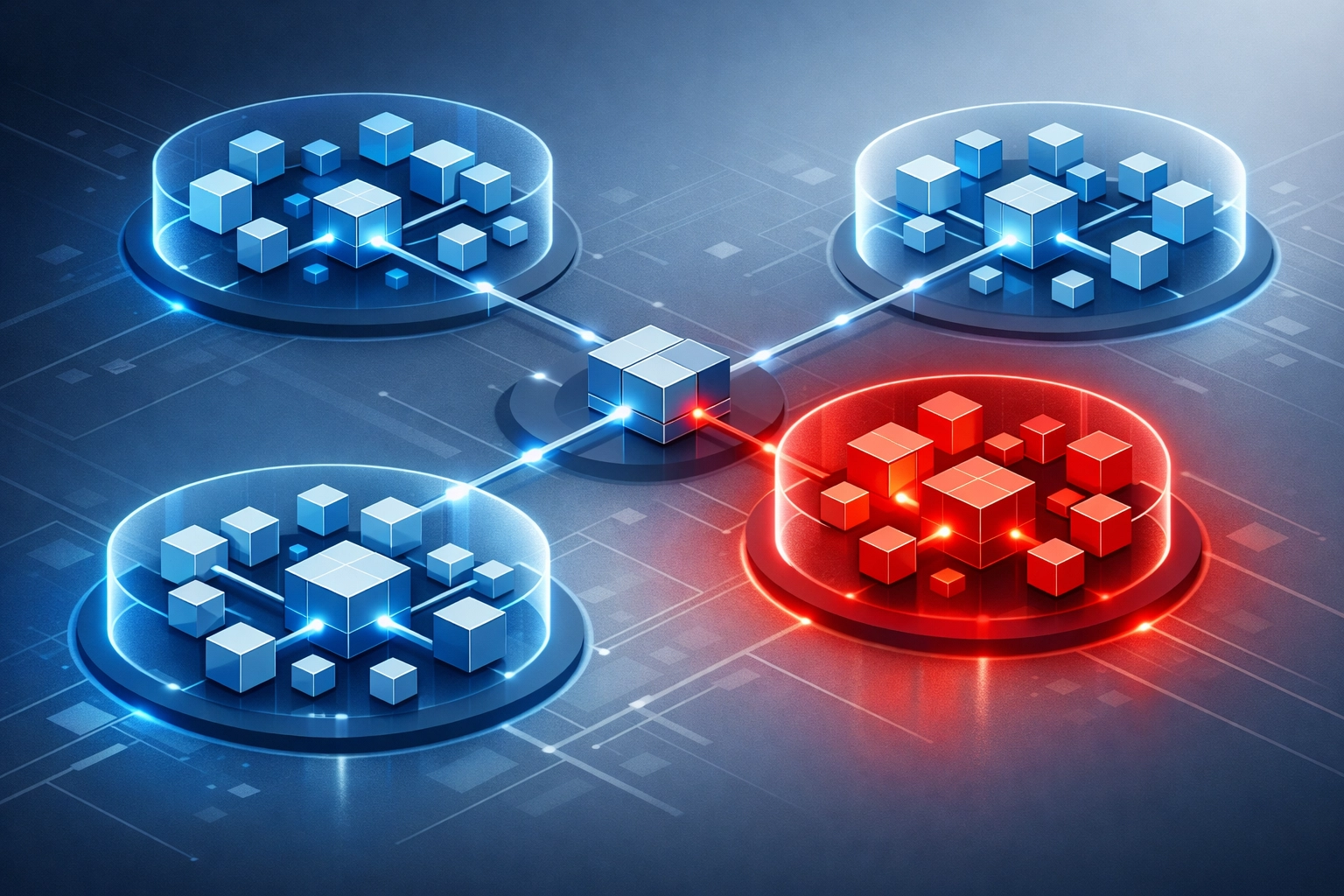
Network segmentation limits breach impact
A flat network allows compromised devices to communicate with more systems
Segmentation separates:
- User workstations
- Servers
- Backup systems
- Guest Wi-Fi
- Voice systems
- Cameras and IoT devices
- Administrative systems
Access between segments should be limited by business requirement
A compromised workstation should not have unrestricted access to backup repositories or domain controllers
Network segmentation should be paired with:
- Firewall rules
- VLANs
- Access control lists
- Endpoint monitoring
- Administrative separation
- Logging
X-Tek supports network design, equipment, cabling, and maintenance
X-Tek managed security
Security operations are difficult to maintain without dedicated staff
Controls must be configured
Alerts must be reviewed
Threats must be investigated
Systems must be patched
Backups must be monitored
Access must be reviewed
X-Tek managed security support includes:
- 24/7 security and backup monitoring
- Threat detection
- Endpoint protection
- Patch management
- Network security monitoring
- Backup verification
- Incident response support
- Security assessments
- Vendor risk review
- AI usage policy support
- On-site and remote assistance
Services are aligned with the business environment
Critical systems are identified
Access is restricted
Alerts are reviewed
Threats are remediated

Minimum security checklist for 2026
MFA enabled for all critical accounts
EDR installed on business endpoints
Email authentication configured
Payment changes verified through a second channel
Backups stored offline or made immutable
Restoration tests completed
Systems patched through a defined process
Remote access restricted and protected by MFA
Network segments separated
Inactive accounts removed
Vendor access reviewed
Cloud permissions audited
Incident response contacts documented
Security monitoring available outside business hours
The FCC small-business cybersecurity resources also provide planning guidance for network protection, employee practices, and response preparation
Assessment priorities
Start with identity
Then review:
- Email and cloud account security
- Backup integrity
- Endpoint protection
- Internet-facing systems
- Remote access
- Network segmentation
- Vendor access
- Incident response procedures
Unresolved gaps should be assigned an owner and completion date
Security controls should be reviewed as systems and staff change
Contact Information
Business Solutions Information Request:
https://xtekit.com/business-solutions-information-request/
815-516-8075