
Category: blog
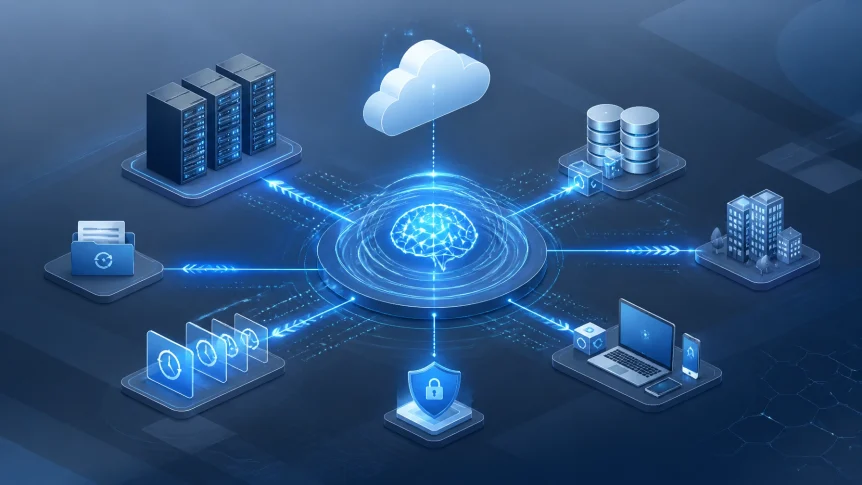
Disaster recovery is moving from scheduled backup jobs to continuous analysis and automated response.
For small businesses, AI is being used to:
- Identify failure patterns
- Detect backup anomalies
- Select usable restore points
- Prioritize critical workloads
- Automate recovery workflows
- Reduce recovery time
- Validate restored systems
AI does not replace backup infrastructure.
It improves how that infrastructure is monitored, tested, and used.
Predictive Analytics
Traditional disaster recovery is reactive.
A failure occurs.
An alert is generated.
Recovery begins.
AI adds predictive analysis before the failure occurs.
System telemetry can be evaluated across:
- Server health
- Storage performance
- Backup job history
- Authentication activity
- Network traffic
- Application logs
- Cloud resource usage
- Hardware temperature
- Disk error rates
Changes outside normal patterns can be identified earlier.
A storage device showing increased read errors may be flagged before failure.
A backup job taking longer each day may indicate capacity or connectivity problems.
A system generating unusual file changes may indicate ransomware activity.
The goal is not to predict every disaster.
The goal is to identify conditions that increase recovery risk.
This provides time to:
- Replace failing hardware
- Correct backup configuration
- Increase storage capacity
- Isolate affected systems
- Create an additional recovery point
- Review business continuity procedures
Research into AI-supported disaster recovery has identified use cases involving failure prediction, anomaly detection, and automated response. Industry coverage from TechTarget describes how AI orchestration is being applied to recovery workflows and infrastructure management.
Backup Anomaly Detection
A backup can complete successfully and still be unusable.
The backup may contain:
- Corrupted files
- Incomplete application data
- Encrypted files
- Incorrect configurations
- Missing dependencies
- Compromised credentials
AI can compare current backup activity against established patterns.
Examples:
- A large increase in changed files
- Unusual encryption behavior
- Sudden deletion activity
- Backup size changes
- Repeated job failures
- Abnormal user access
- New administrative activity
These indicators can be reviewed before a backup is approved as a recovery source.
This matters during ransomware recovery.
If compromised data is replicated into backup storage, the recovery environment may also be compromised. AI-supported anomaly detection can help identify affected restore points and locate earlier versions that show fewer risk indicators.
Human review remains required.
AI recommendations should be validated against:
- Security logs
- Endpoint protection alerts
- Identity activity
- Application behavior
- Known incident timelines
- Recovery point objectives
AI supports the decision.
It does not remove the need for controlled recovery procedures.

Faster Restore Decisions
Recovery delays often result from decisions made during the incident.
Which backup should be used?
Which server should be restored first?
Which applications are dependent on that server?
Which users require access immediately?
Without documented priorities, recovery becomes manual.
AI can evaluate backup history, system dependencies, and business impact data to support these decisions.
A recovery platform may help identify:
- The latest clean restore point
- The systems affected by an incident
- The systems dependent on affected workloads
- The order in which systems should be restored
- The data with the highest operational value
- The recovery tasks that can run in parallel
This is important for small businesses with limited internal IT resources.
Critical systems can be restored first.
Examples include:
- Accounting platforms
- Customer databases
- File servers
- Order management systems
- Communication platforms
- Production applications
- Identity services
- Payment systems
Noncritical systems can follow after core operations are available.
This approach supports recovery time objectives
RTO measures how long a system can remain unavailable.
RPO measures how much data loss is acceptable.
AI does not establish these objectives. Business leadership must define them.
AI can help apply them consistently during recovery.
Automated Recovery Workflows
Manual recovery includes multiple steps.
Systems must be identified.
Backup integrity must be checked.
Infrastructure must be provisioned.
Data must be restored.
Applications must be started.
Network routes must be verified.
Users must be tested.
The process must be documented.
Each manual task creates delay or error risk.
AI-enabled recovery platforms can automate selected parts of the workflow.
Possible actions include:
- Triggering a failover
- Provisioning cloud resources
- Restoring system images
- Reconnecting network services
- Starting application groups
- Validating configurations
- Checking system dependencies
- Sending status notifications
- Recording recovery actions
Automation must be controlled.
Recovery actions should be based on approved runbooks, access controls, and escalation rules.
High-impact actions may require human approval.
The operating model should define:
- What can be automated
- What requires approval
- Who can authorize recovery
- How credentials are protected
- How recovery activity is logged
- How failed automation is escalated
Automation is useful when the process has already been designed and tested.
It is not a substitute for planning.
Business Continuity Beyond File Recovery
Backup protects copies of data.
Business continuity keeps operations available while recovery is underway.
The distinction is covered in Why Your Backup Might Not Be Enough.
A continuity plan should identify:
- Critical business functions
- Required applications
- System dependencies
- Minimum staffing requirements
- Communication channels
- Alternate work locations
- Vendor contacts
- Recovery priorities
- Acceptable downtime
- Data loss limits
AI can support this planning by analyzing system usage and operational dependencies.
It can help identify which services are accessed most frequently.
It can show relationships between applications and infrastructure.
It can support recovery simulations.
It can also compare planned recovery times with actual test results.
This makes the plan measurable.
A document that has not been tested is not a recovery capability.
X-Tek Recovery Solutions
X-Tek approaches disaster recovery as part of a broader IT environment.
The recovery design should align with:
- Existing servers
- PC and Mac systems
- Cloud platforms
- Network infrastructure
- Business applications
- Security controls
- Remote access requirements
- Compliance obligations
- Staffing capacity
X-Tek business solutions include managed IT support, server maintenance, PC and Mac maintenance, Google Cloud, Microsoft Cloud, network design, network equipment, and network maintenance. These services are listed on the X-Tek services page.
Recovery planning can include:
Infrastructure assessment
Critical systems are identified.
Dependencies are documented.
Current backup coverage is reviewed.
RTO and RPO requirements are recorded.
Backup and monitoring review
Backup jobs are monitored.
Failures are investigated.
Restore points are reviewed.
Security and backup activity are evaluated together.
X-Tek provides security and monitoring information as part of its business IT support model.
Recovery architecture
Recovery options are matched to operational requirements.
These may include:
- Image-based backups
- Cloud recovery environments
- Off-site backup storage
- Redundant systems
- Application-level recovery
- Remote access continuity
- Network failover
- Alternate infrastructure
Restore testing
Recovery procedures are tested before an incident.
Test results are documented.
Gaps are corrected.
Recovery times are compared with business requirements.
Incident support
Systems are assessed during the event.
Recovery steps are coordinated.
Affected workloads are prioritized.
Restored systems are validated before normal operations resume.

AI and Ransomware Recovery
Ransomware changes the recovery process.
The objective is not only to restore data.
The environment must be secured before restoration.
Affected accounts may need to be disabled.
Endpoints may need to be isolated.
Administrative credentials may need to be reset.
Restore points must be evaluated for compromise.
Applications must be checked after recovery.
AI can assist by correlating:
- Endpoint alerts
- File activity
- Identity events
- Backup anomalies
- Network connections
- System changes
- Access patterns
This creates a broader incident view.
Recovery decisions can be based on more than backup timestamps.
AI analysis should be integrated with security controls and human investigation. The U.S. Chamber Foundation has reported that many small businesses believe they could recover from a disaster while a smaller percentage maintain a formal plan.
The gap remains operational readiness.
Limits and Controls
AI-supported recovery has limits.
AI may:
- Misclassify normal activity
- Miss a new attack pattern
- Recommend an unsuitable restore point
- Use incomplete system data
- Trigger an incorrect workflow
- Produce inaccurate summaries
Controls are required.
A small-business recovery program should include:
- Immutable or isolated backup copies
- Multifactor authentication
- Least-privilege access
- Segmented recovery environments
- Manual approval for destructive actions
- Recovery testing
- Audit logs
- Updated contact lists
- Documented escalation procedures
AI should improve recovery reliability.
It should not create a new single point of failure.
Implementation Checklist
Businesses evaluating AI-supported disaster recovery should review:
- Current backup success rates
- Backup retention periods
- Off-site storage coverage
- Restore testing frequency
- RTO and RPO requirements
- Critical application dependencies
- Ransomware detection controls
- Cloud recovery options
- Administrative access controls
- Recovery documentation
- Notification procedures
- Vendor response responsibilities
The review should produce measurable results.
Examples:
- Restore a critical server within the defined RTO
- Recover files from a known clean point
- Verify application dependencies
- Confirm remote access availability
- Complete a recovery exercise
- Document unresolved gaps
Operational Result
AI is changing disaster recovery in three areas:
- Earlier risk detection
- Faster recovery decisions
- More consistent restoration
The underlying requirements remain the same.
Backups must be available.
Recovery points must be protected.
Systems must be documented.
Procedures must be tested.
Staff must know their responsibilities.
X-Tek can review existing backup, infrastructure, cloud, security, and continuity requirements through the Business Solutions Information Request.
Contact Information
Business Solutions Information Request:
https://xtekit.com/business-solutions-information-request/
815-516-8075