
Category: blog
Remote work expands the attack surface
Endpoints are outside the office
Users connect from home networks
Business data is accessed through cloud platforms
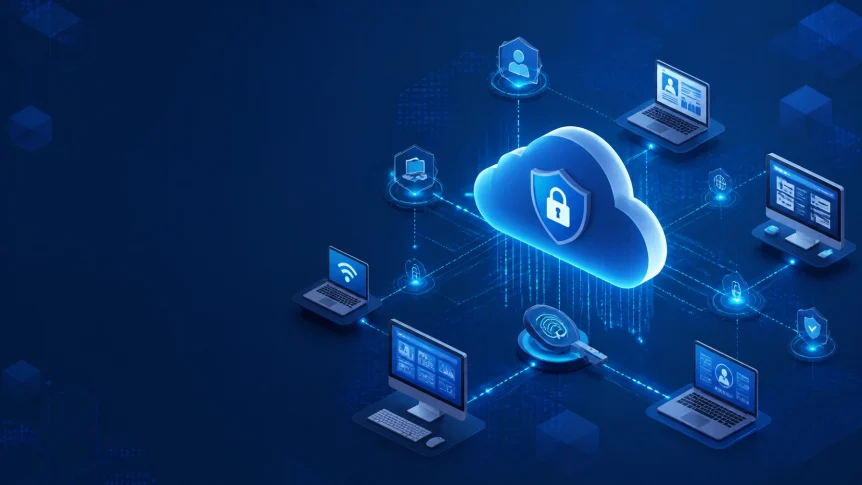
Security controls must follow the user, device, application, and data
Security Model
Identity is the primary control point
Zero Trust principles should be applied
No user, device, or network is trusted by default
Access is verified
Permissions are limited
Sessions are monitored
The 2026 baseline includes
- Phishing-resistant MFA
- Managed endpoints
- Encrypted devices
- Secure remote access
- Least-privilege permissions
- Continuous monitoring
- Tested backups
- Documented incident response
NIST provides guidance for Zero Trust Architecture
CISA provides remote-work security guidance through its Cybersecurity Performance Goals
Secure Access
Remote access paths should be identified first
Common paths include
- VPN
- Zero Trust Network Access
- Remote Desktop Protocol
- SSH
- Microsoft 365
- Google Workspace
- Cloud consoles
- SaaS applications
- Remote support tools
- Administrative portals
Each path should be protected and logged
Multifactor Authentication
MFA should be required for every remote-accessible account
This includes
- VPN
- Cloud applications
- Financial systems
- Administrative consoles
- Backup platforms
- Password managers
Phishing-resistant methods should be prioritized
- Passkeys
- FIDO2 security keys
- WebAuthn
- Hardware authentication devices
SMS-based MFA provides less protection than phishing-resistant methods
Administrative accounts should use stronger authentication requirements than standard accounts
Shared credentials should not be used
Account recovery should be controlled by the business
VPN and ZTNA
Business-grade VPN connections should be required on untrusted networks
Zero Trust Network Access can be used to limit access by
- User identity
- Device status
- Application
- Location
- Risk level
- Session behavior
A user should not receive access to the entire network when access to one application is required
VPN and ZTNA sessions should be configured with
- MFA
- Session expiration
- Device posture checks
- Access logging
- Conditional access
- Kill-switch controls where supported

Endpoint Protection
Remote endpoints are business infrastructure
Laptops and mobile devices may contain
- Customer records
- Credentials
- Contracts
- Financial information
- Cloud access tokens
- Internal documents
- Email archives
- Software source code
Each device should be enrolled in centralized management
The minimum endpoint baseline includes
- EDR
- MDM
- Antivirus protection
- Host-based firewall
- Full-disk encryption
- Automatic updates
- Screen-lock enforcement
- Standard user permissions
- Remote-wipe capability
- Asset inventory
EDR
Endpoint Detection and Response should be installed on supported devices
EDR activity should be reviewed for
- Suspicious processes
- Credential theft
- Lateral movement
- Unusual PowerShell activity
- Unauthorized encryption
- Malware execution
- Persistence mechanisms
- Data exfiltration
Alerts should be triaged
Threats should be contained
Remediation should be completed
Patch Management
Operating systems and applications should be updated automatically where possible
Critical vulnerabilities should be assigned short remediation windows
Unsupported software should be removed
Browser extensions should be reviewed
Firmware should be maintained
Remote devices should not be excluded from patch policies because they are outside the office
Encryption and Device Control
Full-disk encryption should be enabled
Recovery keys should be stored centrally
Local administrator access should be restricted
USB mass storage should be controlled
Lost devices should be locked or wiped remotely
Screen locks should be enforced after a defined period of inactivity
Personal devices should not access company data without documented controls

Home and Public Networks
Home networks should be included in remote-work security policies
Employees should be required to
- Change default router credentials
- Enable WPA3 or WPA2
- Apply router firmware updates
- Use a separate work network
- Disable unnecessary remote administration
- Replace unsupported networking equipment
Work devices should be separated from smart home devices where practical
Public Wi-Fi should be avoided
When public access is required
- VPN or ZTNA should be active
- File sharing should be disabled
- Device firewall rules should remain enabled
- Sensitive activity should be restricted
- Automatic connection to unknown networks should be disabled
Internet access should not be treated as trusted because a connection is password-protected
Identity and Permissions
Access should match the employee’s role
Least privilege should be applied to
- Cloud applications
- Shared drives
- Administrative tools
- Financial systems
- Customer platforms
- Network resources
- Backup consoles
Permissions should be reviewed on a scheduled basis
Former employees and contractors should be removed immediately
Administrative accounts should be separate from daily-use accounts
Just-in-time access should be used for elevated actions where available
Conditional access policies should evaluate
- User identity
- Device compliance
- Login location
- Authentication strength
- Session risk
- Application sensitivity
Unusual login activity should generate alerts
Email and Collaboration Security
Remote employees depend on email and collaboration platforms
These systems remain high-value targets for phishing and business email compromise
Controls should include
- MFA
- Domain protection
- Attachment filtering
- Link inspection
- Impersonation protection
- External sender warnings
- Safe sharing permissions
- Audit logging
- Alerting for unusual forwarding rules
Employees should report
- Unexpected MFA prompts
- Password reset messages
- Payment requests
- Executive impersonation
- Suspicious document shares
- Unusual vendor requests
- Messages requesting urgent secrecy
AI-generated phishing messages may contain accurate grammar and personalized details
Message appearance should not be used as the primary trust signal
Data Protection and Backup
Remote work creates additional data copies
Files may exist on
- Endpoints
- Cloud drives
- Email accounts
- Collaboration platforms
- Personal devices
- Local downloads
- SaaS applications
Data access should be limited
Sensitive files should not be stored in personal accounts
External sharing should be reviewed
Retention settings should match business requirements
Backups should be isolated from standard user access
A reliable backup program should include
- Multiple recovery points
- Offline or immutable copies
- Cloud application coverage
- Endpoint coverage
- Access controls
- Encryption
- Alerting
- Restoration testing
Backups are not complete until recovery has been tested
Ransomware can affect accessible backup systems
Recovery procedures should define
- Who can approve restoration
- Which systems are restored first
- How credentials are recovered
- How affected endpoints are rebuilt
- How business operations continue during restoration
Policies and User Training
Remote-work policies should be written and enforced
Required topics include
- Approved devices
- MFA
- Password managers
- Home network security
- Public Wi-Fi
- Personal accounts
- File sharing
- USB devices
- Software installation
- AI tools
- Incident reporting
- Lost equipment
- Offboarding
Training should address phishing and social engineering
Testing should be performed periodically
Employees should know where to report suspected incidents
The reporting process should not depend on access to the potentially compromised account
Managed Services from X-Tek
Remote security requires ongoing administration
Controls must be configured
Alerts must be reviewed
Patches must be applied
Access must be removed
Backups must be tested
X-Tek provides business IT support and managed support plans through Business Solutions
Managed services can include
- Remote and on-site support
- Endpoint monitoring
- Patch management
- EDR deployment
- MDM configuration
- Microsoft cloud support
- Google cloud support
- Network maintenance
- Firewall configuration
- Backup monitoring
- Security assessments
- Vendor risk review
- Incident response planning
- Infrastructure maintenance
We monitor security and backup systems
Alerts are reviewed
Threats are identified and remediated
Remote devices are maintained through centralized processes
Access and configuration changes are documented
Network infrastructure can be reviewed through X-Tek’s guidance on AI-powered attacks
AI tools should also be included in the wider security program
Approved tools should be documented
Personal AI accounts should not be used for company data
AI-related access, integrations, and data handling should be reviewed
Additional controls are covered in X-Tek’s AI security guidance
Remote Workforce Checklist
Review the current environment
- Is MFA active for every remote-accessible account
- Are phishing-resistant methods used for high-risk roles
- Are all endpoints inventoried
- Is EDR installed and monitored
- Is full-disk encryption enabled
- Are patches applied within defined timeframes
- Are local administrator rights restricted
- Are VPN or ZTNA controls enforced
- Are cloud permissions reviewed
- Are home networks addressed in policy
- Are backups isolated and tested
- Are former users removed immediately
- Are incidents reported through a documented process
- Are AI tools inventoried and approved
- Is security monitoring active outside business hours
Any “no” identifies a control gap
The next action should be documented
Controls should be assigned to an owner
Remediation should be tracked
Remote work security is an operating process
It depends on identity controls, endpoint management, infrastructure maintenance, monitoring, backup, and response
Contact Information
Business Solutions Information Request:
https://xtekit.com/business-solutions-information-request/
815-516-8075