
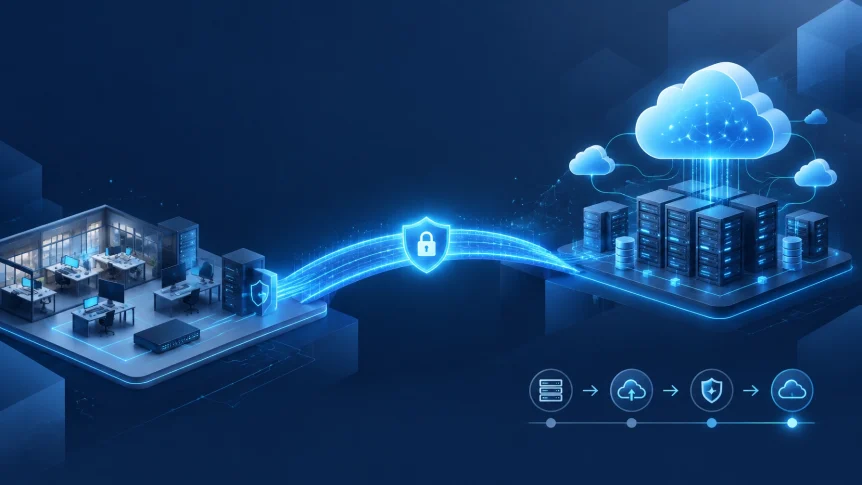
Cloud migration does not require a single high-risk move.
For most small and medium-sized businesses, the safer approach is phased migration with defined checkpoints, tested backups, controlled cutovers, and continued support.
Absolute zero downtime is rarely realistic. The practical goal is near-zero interruption for critical systems and short, scheduled maintenance windows for lower-risk workloads.
X-Tek supports cloud migration planning, implementation, security, backup, and ongoing management across Microsoft Cloud and Google Cloud services.
Assessment
Migration begins with an accurate inventory.
Document:
- Servers
- Applications
- Databases
- File shares
- Email and collaboration tools
- User accounts
- Network connections
- Vendor integrations
- Backup systems
- Licensing requirements
- Compliance obligations
Identify the owner for each system.
Record how each workload is used and what happens if it becomes unavailable.
Define business requirements
Set targets before selecting a migration method.
Key requirements include:
- Maximum acceptable downtime
- Recovery time objective RTO
- Recovery point objective RPO
- Data retention requirements
- Peak business periods
- Compliance requirements
- Remote access needs
- Performance expectations
- Monthly budget range
A customer-facing application may require continuous replication and controlled traffic routing.
An internal reporting tool may tolerate a scheduled maintenance window.
The migration plan should reflect that difference.
Establish a baseline
Measure current performance before changes are made.
Track:
- Application response time
- Network utilization
- Storage capacity
- Server performance
- Backup completion
- Restore performance
- Security alerts
- Help desk tickets
- Current infrastructure costs
These measurements provide a comparison after migration.
Without a baseline, improvement is difficult to verify.

Classify each workload
Not every system should use the same migration approach.
Common options include:
Rehost
Move the workload with minimal changes.
Best for stable applications that need to be moved quickly.
Replatform
Make limited changes to improve performance, management, or cost.
Best for systems that are cloud-compatible but need adjustments.
Refactor
Redesign the application for cloud-native operation.
Best for strategic systems with long-term modernization requirements.
Replace
Retire the current system and adopt a cloud-based alternative.
Best for outdated applications with suitable SaaS replacements.
Retain
Keep the workload on-premises temporarily or permanently.
Some legacy systems may require local infrastructure due to compatibility, latency, licensing, or operational constraints.
Retire
Remove applications and data that are no longer required.
Migration is an opportunity to reduce unused systems and unnecessary costs.
Build the foundation first
A cloud account or subscription is not a complete migration environment.
Before production workloads are moved, establish the operating foundation.
The foundation should include:
- Multi-factor authentication
- Role-based access control
- Separate administrative accounts
- Least-privilege permissions
- Production and test environments
- Network segmentation
- Secure remote connectivity
- Encryption in transit and at rest
- Centralized logging
- Monitoring and alerting
- Vulnerability management
- Backup and retention policies
- Cost budgets and alerts
- Resource naming and tagging
Microsoft recommends preparing connectivity, identity, DNS, firewall rules, monitoring, and management before workloads are migrated into an Azure landing zone. The same principle applies to other cloud environments.
Cloud providers secure the underlying cloud infrastructure.
The customer remains responsible for access, configuration, data, applications, and operational controls.
X-Tek can help coordinate these requirements through managed IT support and infrastructure services.
Migrate in phases
A phased roadmap limits the impact of each change.
Phase 1: Planning
Create the migration backlog.
For each workload, record:
- Business owner
- Technical owner
- Dependencies
- Data classification
- Migration method
- Target platform
- Cutover window
- Rollback method
- Validation requirements
Select one or two low-risk workloads for the first migration wave.
Do not begin with the most critical system.
Phase 2: Pilot migration
Choose a workload that is useful but not business-critical.
Possible candidates:
- Internal reporting
- Test environments
- File archives
- Secondary applications
- Backup infrastructure
- Collaboration tools
The pilot should test the full process.
Validate:
- User access
- Network connectivity
- Application functions
- Authentication
- Vendor integrations
- Performance
- Monitoring
- Backup
- Restore
- Security controls
- Support procedures
Operate the pilot for two to four weeks.
Document what worked.
Document what must change before production migration.
Phase 3: Prepare for cutover
Keep the original system operational while the cloud environment is prepared.
Depending on the workload, use:
- Data replication
- Database change-data capture
- File synchronization
- Parallel application environments
- Load balancing
- Health checks
- Canary traffic
- Weighted traffic routing
- Reduced DNS TTL values
Before cutover, verify:
- Replication status
- Data counts
- Checksums where applicable
- User permissions
- Firewall rules
- Certificates
- DNS records
- Application integrations
- Backup completion
- Restore capability
- Monitoring alerts
Only the required write activity should be paused.
For some systems, the final pause may last minutes.
For others, a scheduled maintenance window remains the safer choice.
Phase 4: Production waves
Group workloads by dependency and business impact.
A typical sequence may include:
- Identity and security foundation
- Email and collaboration
- File services
- Low-risk business applications
- Databases
- Customer-facing systems
- Legacy or specialized workloads
- Disaster recovery and optimization
Do not group systems only by department.
A sales application, database, file share, and authentication service may be technically connected even if different departments use them.
Migration waves should follow those dependencies.

Use a cutover runbook
Every production migration should have a written runbook.
Include:
- Named decision-makers
- Change freeze period
- Technical owners
- Business approvers
- Communication schedule
- Final backup time
- Replication verification
- DNS or routing changes
- User assignment changes
- Smoke tests
- Business acceptance tests
- Monitoring dashboard
- Support bridge
- Escalation contacts
- Abort thresholds
- Maximum execution time
- Rollback commands
- Data reconciliation process
- Post-cutover checklist
Each step should have a defined completion condition.
Each step should have a rollback action.
If a step exceeds its maximum execution time, the migration should pause or revert according to the approved plan.
Security controls during migration
Migration creates temporary data movement and temporary access.
Both require monitoring.
Apply these controls:
- Encrypt migration traffic
- Use MFA for administrative access
- Limit migration accounts to required permissions
- Remove temporary accounts after completion
- Review vendor access
- Segment migration traffic
- Centralize logs
- Monitor failed authentication
- Scan systems before and after migration
- Confirm backup retention
- Test recovery from the target environment
- Review cloud security posture after each wave
Do not treat backup as complete because a job reported success.
Restore representative files and systems.
Confirm that the recovered data is usable.
X-Tek provides backup, monitoring, security, and managed IT support for businesses that need continued operational coverage after migration.
Support during and after migration
Internal teams should not be left without an escalation process.
Assign coverage for:
- Cloud platform issues
- Network connectivity
- Identity and authentication
- DNS
- Databases
- Applications
- Security incidents
- Vendor systems
- End-user support
Publish a single incident channel and a current contact list.
Provide users with:
- Cutover timing
- Expected changes
- Login instructions
- Known limitations
- Support contact information
- Reporting procedures
After critical cutovers, use heightened support for 24 to 72 hours.
Monitor:
- Availability
- Latency
- Error rates
- Authentication failures
- Backup status
- Security findings
- Cloud spending
- Help desk volume
- User acceptance
- RTO and RPO performance
Keep the original environment available until the rollback deadline has passed.
Do not decommission servers immediately after a successful cutover.
Verify business acceptance first.
Then confirm backup retention, contractual requirements, compliance obligations, and final recovery procedures.

Where X-Tek fits
Cloud migration is an infrastructure project and an operations project.
The target environment must be designed.
The migration must be executed.
The systems must then be maintained.
X-Tek provides support for:
- Microsoft Cloud
- Google Cloud
- Managed IT services
- Network design and maintenance
- Server maintenance and repair
- PC and Mac support
- Backup monitoring
- Security monitoring
- Web and DNS services
- Remote and on-site support
Our business services can be structured around assessment, migration, ongoing monitoring, and support.
Migration decision checklist
Proceed when:
- The workload inventory is accurate
- Dependencies are documented
- RTO and RPO targets are approved
- The cloud foundation is secured
- The pilot has passed testing
- Backups have been restored successfully
- The cutover has been rehearsed
- Rollback is documented
- Support coverage is confirmed
- Cloud costs are within tolerance
Pause when:
- Dependencies are unknown
- Replication cannot meet the RPO
- Rollback may cause data loss
- Security exceptions have no owner
- Testing is incomplete
- Support coverage is unavailable
- The downtime requirement exceeds the design capability
A controlled migration is more important than a fast migration.
The objective is a cloud environment that can be operated securely after the move.
Category: blog
Contact Information
Business Solutions Information Request:
https://xtekit.com/business-solutions-information-request/
815-516-8075