
Category: blog
Small businesses face the same network threats as larger organizations
Phishing
Credential theft
Malware
Ransomware
Exposed services
Unauthorized access
The difference is often staffing
Most SMBs do not maintain an internal security operations center with analysts working every hour of the day
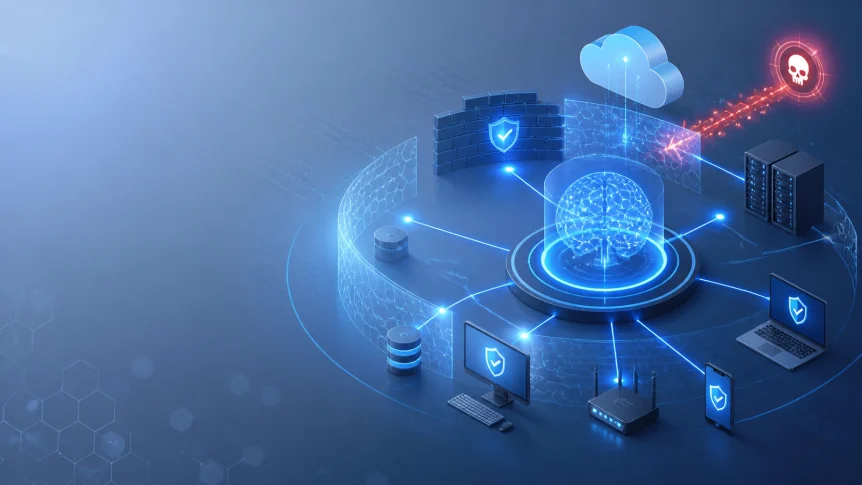
AI-assisted incident response tools help close that coverage gap
Network activity is monitored continuously
Alerts are correlated
Threats are prioritized
Defined response actions are executed automatically
High-impact decisions remain available for human review
What AI incident response does
AI incident response combines security monitoring, behavioral analysis, threat intelligence, and automated workflows
The system reviews activity from:
- Workstations and servers
- Firewalls
- Network devices
- Cloud platforms
- Email systems
- Identity providers
- VPN connections
- Endpoint detection and response tools
- Backup systems
- Remote access tools
Activity is compared against known indicators and established behavior patterns
The system can identify:
- Impossible travel logins
- Repeated failed authentication attempts
- Unusual administrator activity
- Malware execution
- Suspicious PowerShell use
- Abnormal file changes
- Lateral movement
- New firewall rules
- Unauthorized software
- Large outbound data transfers
- Access to systems outside normal user roles
The objective is not to generate more alerts
The objective is to identify events that require action

24/7 network security monitoring
Traditional monitoring depends on someone reviewing alerts
That process creates delays
It also creates inconsistent results during nights, weekends, holidays, and periods of high alert volume
AI-assisted monitoring operates continuously
Security events are collected and evaluated as they occur
Related events are grouped into a single incident
For example:
- A user receives a phishing email
- The user opens a malicious link
- A new login occurs from an unusual location
- A PowerShell process starts
- Files are accessed at a higher rate than normal
A basic monitoring system may create five separate alerts
An AI-assisted system can correlate the activity into one potential account compromise
The incident can then be assigned a severity level and response workflow
This reduces alert duplication
It also gives support staff more usable information during investigation
Monitoring sources
A complete monitoring program should include more than endpoint antivirus
Common sources include:
- Firewall logs
- DNS requests
- EDR telemetry
- Microsoft 365 or Google Workspace activity
- Authentication events
- VPN logs
- Server events
- Cloud access logs
- Backup status
- Network traffic patterns
CISA recommends centralized logging and monitoring across network devices, hosts, and cloud services
The CISA StopRansomware Guide also recommends EDR, IDS, centralized log management, network segmentation, offline backups, and tested recovery procedures
Automated triage
Alert volume is one of the main barriers for SMB security teams
Every event cannot receive the same level of attention
AI tools can assist with triage by evaluating:
- Asset criticality
- User role
- Threat reputation
- Event frequency
- Known attack patterns
- Geographic location
- Device health
- Previous activity
- Related alerts
- Potential business impact
A suspicious login to a standard workstation may require a different response than a suspicious login to a domain administrator account
The system can apply those distinctions immediately
Alert enrichment can also include:
- IP reputation
- Domain reputation
- File hashes
- User identity
- Device ownership
- Vulnerability data
- Recent software changes
- Previous incidents
Tickets can be created automatically
Evidence can be attached
Relevant staff can be notified
The response record can be retained for later review
Automated remediation
Detection has limited value if no action follows
Automated remediation allows defined response steps to be completed without waiting for manual intervention
Common actions include:
- Isolating an endpoint from the network
- Blocking a malicious IP address
- Blocking a malicious domain
- Terminating a suspicious process
- Quarantining a file
- Revoking active sessions
- Disabling a compromised account
- Requiring a password reset
- Removing a phishing email from user mailboxes
- Blocking unauthorized applications
- Closing an exposed network port
- Disabling an unapproved firewall rule
- Creating a support ticket
- Escalating the incident to X-Tek

Actions should be assigned to documented playbooks
A playbook defines:
- Trigger conditions
- Required evidence
- Automated actions
- Approval requirements
- Notification recipients
- Recovery steps
- Documentation requirements
Automation should begin with low-risk actions
Examples:
- Enriching an alert
- Creating a ticket
- Blocking a confirmed malicious domain
- Isolating a noncritical workstation
- Removing a confirmed phishing message
Higher-impact actions should require approval
Examples:
- Shutting down a server
- Disabling a major business account
- Blocking an entire network segment
- Restoring production systems
- Changing identity or firewall architecture
Human oversight remains necessary
AI tools can process large volumes of information quickly
They do not understand every business dependency
A server may appear suspicious because it is performing an authorized maintenance task
A user may be traveling
A new application may be approved but not yet documented
Human review remains necessary when an action could affect:
- Revenue-generating systems
- Customer access
- Production databases
- Compliance requirements
- Business continuity
- Legal or reporting obligations
A practical model uses automation for speed and people for judgment

A practical SMB incident response workflow
1. Detect
Network, endpoint, cloud, identity, and backup activity is collected
Behavioral analytics identify activity outside the established baseline
2. Correlate
Related events are grouped
The incident is assigned a severity level
The affected users, devices, systems, and accounts are identified
3. Contain
Approved actions are executed
The affected endpoint may be isolated
Credentials may be revoked
Malicious indicators may be blocked
4. Escalate
X-Tek support is notified when the event exceeds the configured threshold
The incident record includes collected evidence and actions already completed
5. Investigate
The cause is reviewed
Persistence mechanisms are checked
Additional affected systems are identified
Logs and endpoint data are examined
6. Remediate
Malware is removed
Vulnerabilities are addressed
Systems are rebuilt or restored when required
Access controls are reviewed
7. Validate
Security controls are tested
Monitoring is confirmed
The system is returned to normal operation only after verification
8. Document
The incident is recorded
Playbooks are updated
New controls are assigned
Backup integration
Incident response and backup management must operate together
A compromised system should not be restored without verifying the backup
If malware remains active, restoration can reintroduce the incident
CISA recommends offline encrypted backups and regular recovery testing
AI-assisted systems can monitor:
- Backup job completion
- Failed backup attempts
- Unexpected deletion activity
- Changes to retention settings
- Unusual backup volume
- Encryption status
- Backup repository access
- Recovery point availability
A response workflow can escalate failed backups before an incident occurs
It can also require review when backup settings are changed or when a user attempts to delete protected data

Backups should be:
- Protected from standard user access
- Separated from production credentials
- Encrypted
- Tested
- Retained according to business requirements
- Available through a documented recovery process
Automation supports recovery
It does not replace recovery planning
Alignment with security frameworks
AI-assisted incident response can support the functions in the NIST Cybersecurity Framework 2.0
- Govern : Define risk ownership and response authority
- Identify : Maintain asset and system information
- Protect : Apply access control and security configuration
- Detect : Monitor events and identify anomalies
- Respond : Contain incidents and manage communications
- Recover : Restore systems and improve resilience
NIST CSF 2.0 is designed to help organizations manage cybersecurity risk without requiring a specific product or vendor
The framework can be used to document current controls and identify gaps
X-Tek IT support
AI tools require configuration
They require integrations with existing systems
They require documented response playbooks
They also require ongoing review
X-Tek can support SMB environments through:
- Managed IT support plans
- Server maintenance and repair
- PC and Mac maintenance
- Network design and maintenance
- Microsoft cloud services
- Google cloud services
- Website security
- Managed DNS
- Backup monitoring
- Security monitoring
- On-site support
- Remote support
- Incident response coordination
Our business IT services can be evaluated as part of a broader security and infrastructure review
Support may include reviewing current network visibility, endpoint coverage, firewall configuration, identity controls, backup status, and escalation procedures
Businesses can submit a request through the X-Tek business solutions information request
Implementation checklist
Before enabling automated response, confirm:
- All critical assets are documented
- Network diagrams are current
- Log sources are connected
- Endpoint coverage is verified
- Backup jobs are monitored
- Recovery procedures are tested
- Administrative access is restricted
- MFA is enabled
- Response contacts are current
- Playbooks are documented
- Approval thresholds are defined
- Automated actions are logged
- Escalation procedures are tested
- False positives are reviewed
- Post-incident procedures are assigned
Start with monitoring mode when possible
Review proposed actions
Tune thresholds
Test against known scenarios
Enable automated remediation in stages
24/7 protection requires an operating process
AI is one component of an incident response program
Effective coverage also requires:
- Network visibility
- Endpoint protection
- Identity security
- Email security
- Backup monitoring
- Vulnerability management
- Documented playbooks
- Human escalation
- Tested recovery
When these components are connected, threats can be identified and contained before they become extended outages
X-Tek can help review the current environment and identify where automated monitoring, remediation, and IT support should be added
Contact Information
Business Solutions Information Request:
https://xtekit.com/business-solutions-information-request/
815-516-8075