
Category: blog
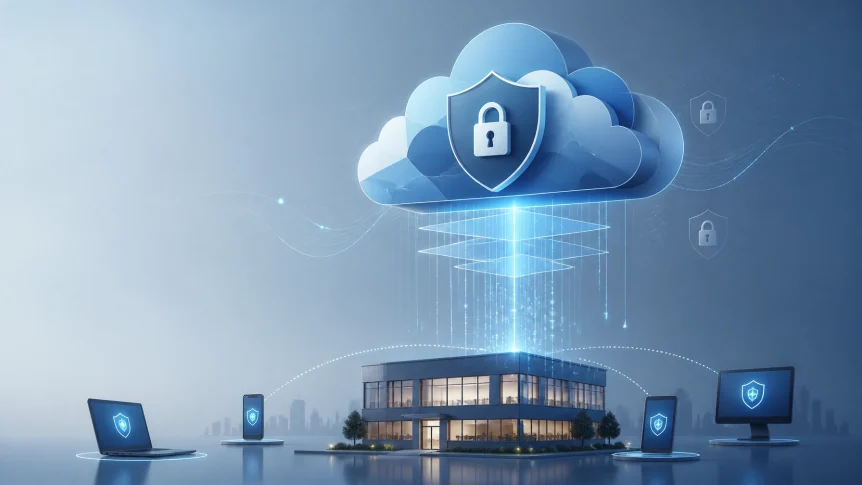
Cloud services extend business operations beyond the office.
Employees access systems from home
Customers share information online
Applications run across multiple platforms
Backups are stored off-site
Administrative access may be available from anywhere
The office network is no longer the primary security boundary
Identity, configuration, encryption, monitoring, and recovery controls must be managed across the complete cloud environment
Cloud Security Uses a Shared Responsibility Model
Cloud providers secure the underlying infrastructure
Businesses remain responsible for:
- User accounts
- Access permissions
- MFA configuration
- Data classification
- Application settings
- Endpoint security
- Backup policies
- Logging
- Regulatory requirements
- Incident response
A secure cloud platform can still be exposed through:
- A compromised user account
- Excessive permissions
- Unprotected storage
- Weak administrative controls
- Misconfigured sharing settings
- Unmonitored third-party access
- Incomplete backups
Before migration or expansion, document which controls are managed by the provider and which are managed by your business
X-Tek supports cloud planning and implementation for Microsoft Cloud and Google Cloud environments
Identity Is the Primary Control
Cloud access begins with identity management
A password alone does not provide sufficient protection
Centralize User Accounts
Use a central identity provider for workforce access
Avoid separate local accounts across every application
Centralized identity management supports:
- Single sign-on
- Consistent MFA enforcement
- Faster employee offboarding
- Access reviews
- Centralized logging
- Reduced password reuse
Accounts should be assigned to individual users
Shared administrative accounts should not be used
Service accounts should have documented owners and defined purposes
Require MFA
Multi-factor authentication should be required for:
- All cloud users
- Administrators
- Remote access
- Financial systems
- File storage
- Backup consoles
- Vendor accounts
Phishing-resistant authentication methods should be used for privileged users when available
SMS-based authentication is weaker than authenticator applications or hardware security keys
MFA settings should be reviewed after account changes, application changes, and security incidents
Apply Least Privilege
Users should receive only the access required for their roles
Use role-based access control instead of individual permission exceptions
Typical roles may include:
- Read-only
- Standard user
- Department administrator
- Security administrator
- Billing administrator
- Infrastructure administrator
Administrative rights should be separated from daily user accounts
Temporary elevated access should be removed after the task is complete
Access reviews should be performed at least quarterly for sensitive systems
Former employees and inactive contractors should be removed immediately

Protect Data Through Encryption
Encryption reduces exposure when data is intercepted, copied, or accessed without authorization
It does not replace access control
Both controls are required
Encrypt Data in Transit
Data moving between users, devices, applications, and cloud services should use current TLS protections
HTTPS should be required for:
- Websites
- Application portals
- APIs
- Administrative interfaces
- File transfer services
Internal traffic should also be reviewed
Application-to-database connections
Cloud-to-cloud integrations
Remote access sessions
Backup transfers
Unencrypted protocols should be disabled where supported
Certificates should be tracked and renewed before expiration
Encrypt Data at Rest
Encryption should be enabled for:
- Cloud file storage
- Databases
- Virtual machines
- Application storage
- Backup repositories
- Portable media
- Archived data
Sensitive data should be classified before it is migrated
Common categories include:
- Public information
- Internal business information
- Confidential information
- Regulated information
Customer records, financial data, employee records, credentials, and protected health information require additional controls
Cloud-native key management services should be used where available
Encryption keys should not be stored with the data they protect
Key ownership, rotation, access, and expiration should be documented
Secure Remote Access
Cloud access is designed for distributed work
Security controls must account for users outside the office
Remote access policies should define:
- Approved devices
- Supported operating systems
- MFA requirements
- Session timeouts
- Personal device restrictions
- File download rules
- Public Wi-Fi requirements
- Incident reporting procedures
Managed devices should use:
- Endpoint protection
- Disk encryption
- Patch management
- Screen lock policies
- Device inventory
- Remote wipe capability
- Local administrator restrictions
Access should be evaluated based on user identity, device status, location, application, and requested resource
A trusted office network should not automatically provide unrestricted access
Backups Must Be Separate From Primary Systems
Cloud storage is not the same as a complete backup
Many cloud applications provide version history or retention features
These features may not protect against:
- Account takeover
- Malicious deletion
- Ransomware
- Incorrect synchronization
- Accidental overwrites
- Provider retention limits
- Application-wide corruption
A business backup strategy should include:
- Independent backup copies
- Encryption
- Separate credentials
- Restricted administrative access
- Retention policies
- Off-site storage
- Recovery point objectives
- Recovery time objectives
- Restore testing
Backup administrators should use separate privileged accounts
Backup systems should not depend entirely on the same identity environment as production systems
Restore procedures should be tested on a schedule
A backup that has never been restored remains unverified
X-Tek provides managed uptime and monitoring services that support operational continuity across business systems

Monitoring Finds Problems Earlier
Cloud security requires ongoing review
A secure configuration can change after:
- A software update
- A new employee onboarding
- A vendor connection
- An application integration
- A permission change
- A storage migration
- A billing or subscription change
Monitoring should include:
- Failed login attempts
- Impossible travel events
- New administrative accounts
- MFA changes
- Privilege changes
- Public storage exposure
- Suspicious file activity
- Disabled security controls
- Backup failures
- Endpoint alerts
- Configuration drift
Logs should be retained according to business and compliance requirements
Critical events should generate alerts
Alerts should be reviewed and assigned for response
Security operations should include remediation
A notification without follow-up does not reduce risk
Compliance Requires Evidence
Cloud security supports compliance
It does not automatically create compliance
Requirements vary by industry, contract, location, and data type
Common requirements may involve:
- HIPAA
- PCI DSS
- State privacy laws
- GDPR
- Customer security questionnaires
- Insurance controls
- Contractual retention rules
The first step is identifying which requirements apply
Then map each requirement to a specific control
Examples:
| Requirement | Supporting control |
|---|---|
| Limit access to sensitive records | RBAC and quarterly access reviews |
| Protect data during transfer | TLS enforcement |
| Protect stored data | Encryption at rest |
| Record system activity | Centralized audit logging |
| Recover from data loss | Independent backups and restore testing |
| Respond to incidents | Written response procedures |
| Remove former users | Documented offboarding workflow |
Maintain evidence for:
- Policies
- Risk assessments
- Access reviews
- MFA enforcement
- Encryption settings
- Backup reports
- Restore tests
- Security training
- Incident records
- Vendor reviews
The NIST Cybersecurity Framework 2.0 provides a structure for identifying, protecting, detecting, responding to, recovering from, and governing cybersecurity risk
The CISA Cross-Sector Cybersecurity Performance Goals provide a prioritized baseline for organizations with limited security resources
These frameworks can be scaled to the size and risk profile of an SMB
Managed Cloud Services Reduce Gaps
Cloud security tasks compete with daily business operations
Internal teams may not have the time or specialized experience to manage:
- Identity policies
- MFA enforcement
- Permission reviews
- Cloud configuration
- Backup monitoring
- Patch management
- Security alerts
- Vendor access
- Compliance evidence
- Incident response
Managed cloud services provide defined ownership and recurring oversight
X-Tek can assist with:
- Microsoft Cloud services
- Google Cloud services
- Cloud migration planning
- Identity management
- Data protection
- Backup monitoring
- Endpoint maintenance
- Network infrastructure
- Security configuration
- Remote and on-site support
Our business IT services are structured for SMB environments that require ongoing maintenance and support
The objective is not to remove every risk
The objective is to establish controls, monitor their operation, and respond when conditions change
Cloud Security Checklist
Review the following items:
- All users have MFA enabled
- Administrative accounts are separate from daily accounts
- Inactive accounts are removed
- Access is assigned by role
- Sensitive data is classified
- Data is encrypted in transit
- Data is encrypted at rest
- Encryption keys are managed separately
- Public sharing is restricted
- Devices are patched and monitored
- Backups are independent
- Backup restores are tested
- Cloud activity is logged
- Security alerts are reviewed
- Vendor access is limited
- Incident procedures are documented
- Compliance requirements are mapped
- Evidence is retained
- Cloud responsibilities are documented
Cloud security extends beyond the office
It follows the user
The device
The application
The data
The identity provider
The backup system
And the vendor connection
Businesses moving to cloud platforms should treat security as an ongoing operating function
X-Tek can review your current cloud environment and identify priority controls through the Business Solutions Information Request
Contact Information
Business Solutions Information Request:
https://xtekit.com/business-solutions-information-request/
815-516-8075