
Traditional phone lines cost money.
Lots of it.
Maintenance. Hardware. Per-minute charges. Long-distance fees.
Small businesses absorb these costs because "that's how phones work."
Except it's not. Not anymore.
A VoIP phone system for small business changes the math entirely.
Here's what you need to know.
What VoIP Actually Is
Voice over Internet Protocol.
Calls transmitted over internet connection instead of copper phone lines.
No dedicated phone infrastructure required.
Works on:
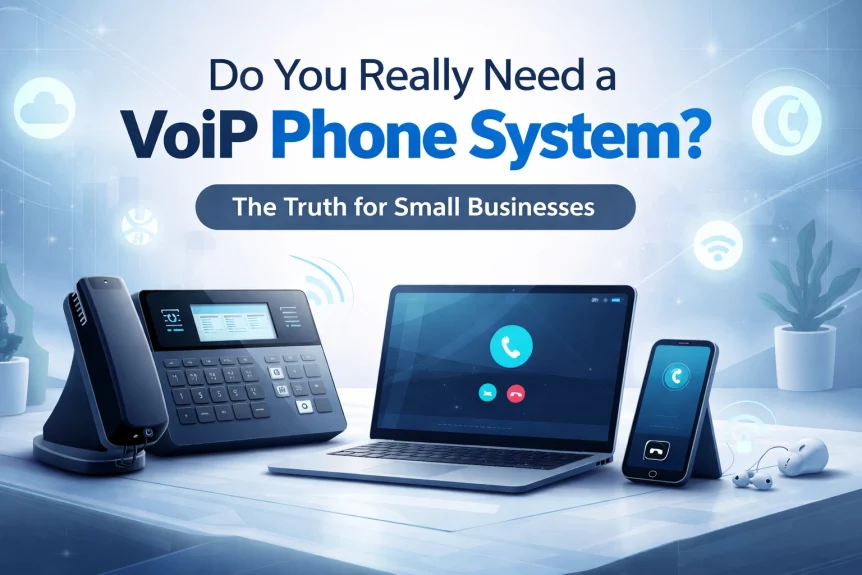
- Desk phones (IP-enabled)
- Computers
- Smartphones
- Tablets
Same phone number. Different delivery method.

The Cost Difference
This is where most small businesses pay attention.
Traditional phone systems:
- Hardware installation
- Maintenance contracts
- Per-line monthly fees
- Long-distance charges
- International call premiums
- Upgrade costs for new features
VoIP phone system for small business:
- Plans starting around $10/month per user
- Unlimited local calling (most plans)
- Reduced long-distance rates
- International calls at fraction of traditional cost
- Features included: not add-ons
Average savings: up to 60% on phone bills.
Some businesses report 90% reduction on specific services.
No specialized hardware. No technician visits. No surprises.
Features That Come Standard
Traditional systems charge extra for these.
VoIP includes them:
- Auto-attendant : Professional call routing without a receptionist
- Voicemail-to-email : Audio files delivered to inbox
- Call forwarding : Route calls anywhere
- Call recording : Documentation and training
- Video conferencing : Built into the platform
- Team messaging : Chat alongside voice
- Mobile apps : Business line on personal phone
- Call analytics : Track volume, duration, patterns
Unified communications.
One platform. Voice. Video. Chat. Presence indicators.

When VoIP Makes Sense
Not every business operates the same way.
VoIP delivers the most value when:
Remote or hybrid teams exist.
Employees work from home. Coffee shops. Client sites.
VoIP doesn't care about location. Internet connection is all that's needed.
Same business number. Same features. Same professionalism.
Growth is planned.
Adding a new employee to traditional phone system means:
- Hardware purchase
- Installation scheduling
- Configuration fees
Adding a user to VoIP:
- Number assignment
- Feature activation
- Done
Scaling down works the same way. No equipment sitting unused.
Multiple locations operate.
Branch offices. Satellite locations. Warehouse staff.
Single network. Shared resources. Internal extensions work across sites.
Customer experience matters.
Auto-attendants route calls correctly the first time.
Hold music and messaging keep callers informed.
CRM integrations log interactions automatically.
Call routing ensures the right person answers.
Common Concerns
"What about reliability?"
Valid question.
VoIP depends on internet connection.
Internet goes down. Phones go down.
Solutions:
- Redundant internet connections
- Automatic failover to mobile
- Cloud-based systems with geographic redundancy
- Battery backup for network equipment
Modern VoIP providers build reliability into the architecture.
Uptime guarantees are standard.
"Call quality issues?"
Early VoIP had problems. Choppy audio. Delays. Dropped calls.
That was 15 years ago.
Current technology:
- HD voice quality
- Bandwidth prioritization (QoS)
- Minimal latency on proper networks
Requirements:
- Stable internet connection
- Adequate bandwidth (100 Kbps per call minimum)
- Properly configured network
Most business internet connections exceed requirements easily.

"Is it complicated to set up?"
Depends on approach.
DIY installation is possible. Consumer-grade systems exist.
Business-grade implementation benefits from:
- Network assessment
- Bandwidth verification
- QoS configuration
- Integration with existing systems
- User training
- Ongoing support
Complexity scales with business needs.
"What happens during power outages?"
Traditional phones often work during outages. VoIP needs power and internet.
Mitigation options:
- UPS battery backup systems
- Automatic call forwarding to mobile
- Cellular failover connections
- Cloud voicemail capturing missed calls
Planning eliminates most risk.
When VoIP Might Not Fit
Honest assessment.
Unreliable internet service.
Rural areas with inconsistent connectivity.
Satellite internet with high latency.
VoIP struggles in these environments.
Minimal phone usage.
Business runs on email and text.
Five calls per week.
Traditional basic line might cost less.
Regulatory requirements.
Some industries mandate specific communication systems.
Compliance needs verification before switching.
Fax-dependent operations.
VoIP handles fax. Not always smoothly.
Heavy fax users need dedicated solutions or workarounds.
Making the Decision
Questions to answer:
- Current monthly phone costs?
- Number of employees needing phone access?
- Remote work requirements?
- Growth plans for next 2-3 years?
- Internet connection stability and speed?
- Features currently paying extra for?
- Integration needs with other business systems?
Most small businesses find VoIP delivers:
- Lower costs
- Better features
- More flexibility
- Easier scaling
The technology has matured.
Adoption has become standard practice.

Implementation Approach
Two paths.
Self-managed:
- Select provider
- Configure online
- Plug in phones
- Manage ongoing
Works for simple setups. Tech-comfortable staff.
Managed implementation:
- Network assessment
- Provider selection assistance
- Professional configuration
- Integration with business systems
- Staff training
- Ongoing support and optimization
Works for businesses wanting reliability without internal IT burden.
What We Do
X-Tek handles VoIP phone system for small business implementations.
Assessment of current infrastructure.
Recommendation based on actual needs.
Configuration done correctly the first time.
Integration with existing tools.
Training for staff.
Support when something needs attention.
No overselling. No unnecessary complexity.
System that works for your business.
Next Step
Questions about whether VoIP fits your situation?
Concerns about switching from current system?
Want to understand actual costs for your business?
Contact X-Tek for a consultation.
We assess. We recommend. We implement.
Or we tell you to keep what you have.
Whatever makes sense.
Quick Reference
VoIP phone system for small business basics:
| Factor | Traditional | VoIP |
|---|---|---|
| Monthly cost | Higher | Lower |
| Long-distance | Per-minute charges | Usually included |
| Features | Add-on fees | Included |
| Scaling | Hardware required | Software-based |
| Remote work | Limited | Native support |
| Setup | Technician visits | Often remote |
Minimum requirements:
- Business internet connection
- Router with QoS capability
- IP phones or softphone apps
Timeline:
- Assessment: 1-2 days
- Implementation: 1-5 days depending on complexity
- Training: Same day as deployment
Ready to evaluate your options?
Contact Us
815-516-8075