
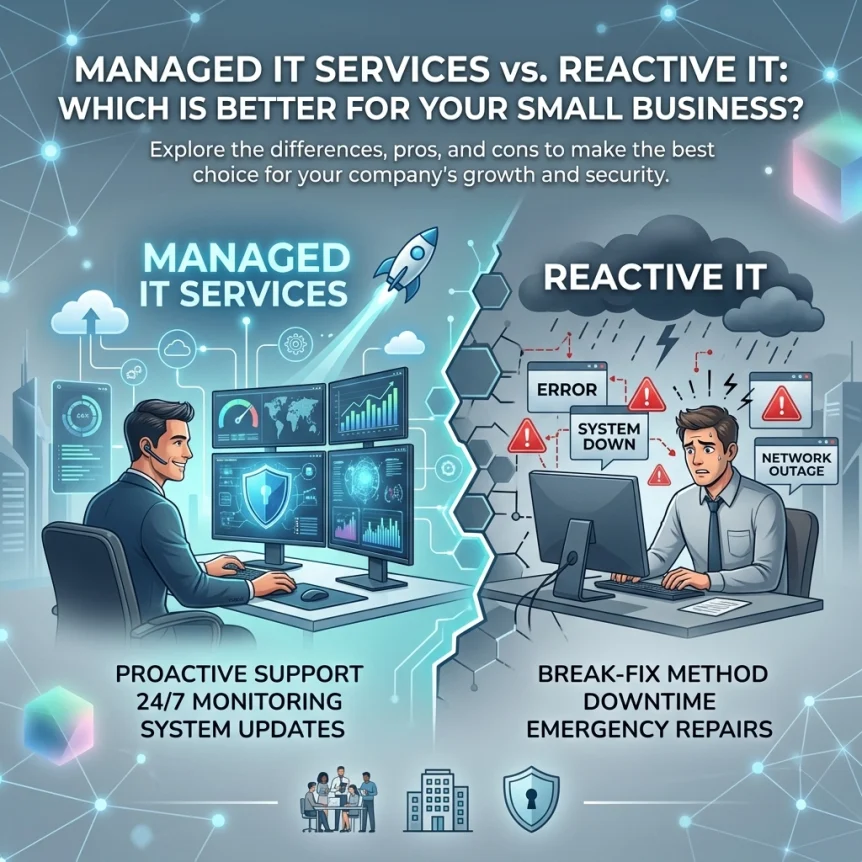
Definition
Reactive IT
Break-fix model
Support requested after failure
Issues identified by users
Intervention triggered by downtime
Manual resolution processes
Billing based on hours worked
Emergency rates applied
Unpredictable monthly expenses
Lack of preventative maintenance
Hardware lifespan reduced
Software updates neglected
Security patches delayed
No dedicated monitoring tools
Resource allocation focused on repairs
External technicians arrive post-incident
Managed IT Services
Proactive model
Subscription-based support
Continuous system monitoring
Issues identified by software alerts
Automated remediation
Fixed monthly investment
Preventative maintenance schedules
Extended hardware lifecycle
Regular software updates
Automated security patching
Dedicated monitoring tools utilized
Resource allocation focused on stability
Technicians monitor systems remotely

Financial Comparison
Reactive Costs
Variable monthly invoices
Emergency service fees
High hourly labor rates
Hardware replacement costs at full retail
Lost revenue during downtime
Employee wages paid during idle periods
Data recovery expenses
Ransomware payment risks
Legal fees for compliance failures
Customer churn from service interruptions
Lack of budget predictability
Financial spikes during hardware failure
Minimal ROI on technology spend
Managed Costs
Flat monthly fee
Predictable annual budgeting
Included labor for maintenance
Vendor management included
Reduced downtime losses
Productivity maintained
Included backup services
Lower cyber insurance premiums
Strategic hardware procurement
Maximized hardware performance
Scalable cost structures
No emergency surcharge surprises
Predictive maintenance savings (8-12%)
Comparison Data
Predictive maintenance vs preventive: 8-12% savings
Predictive maintenance vs reactive: 40% savings
Direct labor cost per hour: $150 – $250 (Reactive)
Direct labor cost per month: Fixed (Managed)
Average cost of downtime for SMBs: $137 to $427 per minute
Hidden costs represent 70% of total technology expenses in break-fix environments

Operational Efficiency
Productivity
Employee idle time minimized
System performance optimized
Network bottlenecks identified early
Application speed maintained
Help desk support available M-F 9AM-5pm Central Time
Reduced ticket resolution times
Remote assistance tools deployed
No waiting for on-site arrivals
Focus remains on core business tasks
IT frustration reduced among staff
Standardized hardware environments
Documented internal processes
Uptime
99.9% uptime targets
Redundant systems managed
Server health monitored 24/7/365
Internet connectivity tracked
Power supply status checked
Environment temperature monitored
Drive space capacity managed
RAM utilization tracked
CPU load balanced
Backup verification performed daily
Disaster recovery plans tested
Failover protocols established

Cybersecurity Posture
Reactive Risks
Security gaps remain unnoticed
Firewalls outdated
Antivirus definitions expired
Windows updates ignored
Phishing attempts successful
Unauthorized access undetected
Data exfiltration occurs before discovery
Compliance requirements unfulfilled
Recovery from backups untested
Vulnerability windows wide open
Zero-day exploits unmanaged
Manual security checks infrequent
Managed Protections
Continuous network security monitoring
Managed firewall services
Endpoint Detection and Response (EDR)
Multi-Factor Authentication (MFA) enforcement
Email encryption managed
Regular security audits
Employee security awareness training
Patch management automation
Dark web monitoring
Ransomware protection layers
Backup encryption
Regulatory compliance adherence (HIPAA, PCI, SOC2)
Incident response planning

Strategic Support
Consultation
Quarterly Business Reviews (QBR)
Technology roadmapping
Budget forecasting
Life-cycle management
Infrastructure planning
Cloud migration strategy
VOIP integration
Digital transformation guidance
Vendor relationship management
Software licensing tracking
Hardware inventory records
Scalability assessments
Business Alignment
IT goals matched to business objectives
Resource optimization
Competitive advantage through technology
Operational bottlenecks removed
Workflow automation
Mobile workforce support
Remote work security
Business continuity planning
Data analytics utilization
System integration improvements
Standardized operating environments
Enhanced customer experience

Services Summary
Monitoring
SNMP tracking
Log analysis
Traffic monitoring
Performance metrics
Uptime alerts
Security event logging
Maintenance
Patching
Firmware updates
Database optimization
Storage management
Physical hardware cleaning
User account auditing
Support
Remote desktop control
Phone assistance
On-site dispatch
Ticket tracking
Knowledge base access
User onboarding
Infrastructure
Server management
Cloud hosting
Network switching
Wireless access points
Firewall configuration
Backup repositories
Decision Matrix
Small Business Needs
Predictable spending: Managed
High uptime requirements: Managed
Regulatory compliance: Managed
Occasional use: Reactive
Limited budget for maintenance: Managed (Long-term)
High risk tolerance: Reactive
Low risk tolerance: Managed
Internal IT staff absent: Managed
Complex network: Managed
Simple single-PC setup: Reactive
X-Tek Operations
Networks are monitored and remediated
Servers are patched and optimized
Backups are verified and encrypted
Security events are analyzed
Support is provided M-F 9AM-5pm Central Time
Systems are documented and managed
Strategic plans are developed
Costs are fixed and predictable
Call 815-516-8075 for consultation
Contact Information
Business Solutions Information Request:
https://xtekit.com/business-solutions-information-request/
Phone: 815-516-8075
Business Hours: Monday – Friday, 9:00 AM – 5:00 PM Central