
Category: blog
Ransomware targets production systems.
It also targets backup systems.
A backup that can be deleted, encrypted, or overwritten during an attack is not a recovery plan.
Small businesses require layered protection:
- Multiple backup copies
- Separate storage media
- Off-site storage
- Immutable retention
- Access controls
- Continuous monitoring
- Tested restoration procedures
The baseline is the 3-2-1 rule.
The ransomware-resilient version is 3-2-1-1-0.
The 3-2-1 Rule

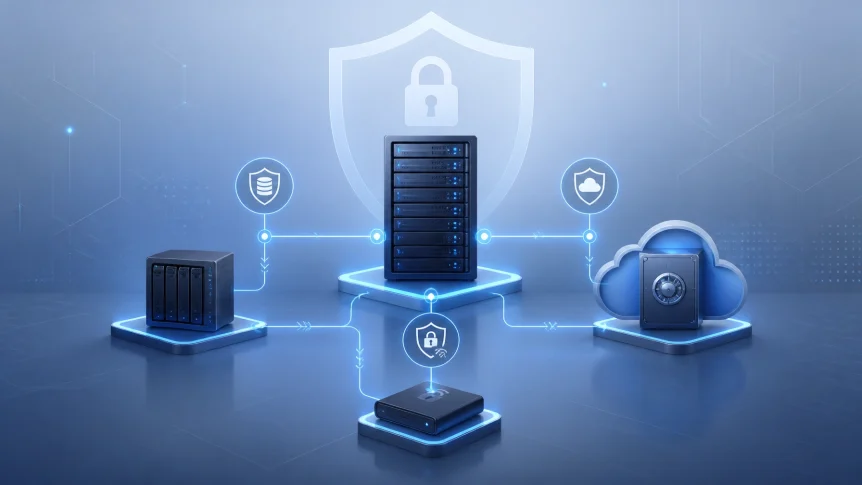
The 3-2-1 rule establishes backup redundancy:
- 3 copies of business data
- 2 different storage media
- 1 copy stored off-site
The production system counts as one copy.
Two additional copies are maintained separately.
Example:
- Production server or workstation
- Local backup appliance
- Cloud backup repository
The copies must not depend on the same system.
A second folder on the production server is not a separate backup.
A synchronized cloud folder is not necessarily a backup.
If ransomware encrypts the source data, synchronization can replicate the encrypted files.
A valid backup must provide historical restore points.
Extending the Rule to 3-2-1-1-0
The 3-2-1 rule addresses hardware failure, accidental deletion, and site-level damage.
Ransomware requires additional controls.
The extended model adds:
- 1 immutable or offline copy
- 0 unverified recovery errors
This creates the 3-2-1-1-0 strategy.
One immutable or offline copy
At least one backup copy must be unreachable from ordinary production credentials.
Two methods are commonly used:
Immutable storage
Backups are retained using object lock, WORM storage, or compliance-mode retention.
Files cannot be modified or deleted during the retention period.
This protection applies even if an administrative account is compromised.
Offline storage
A backup disk, tape, or removable device is disconnected after the backup process.
The storage device is rotated and kept at a separate location.
It cannot be reached through the production network while disconnected.
Zero recovery errors
Backups must be tested.
A completed backup job does not prove that restoration will work.
The backup may contain:
- Corrupted files
- Missing applications
- Invalid permissions
- Broken dependencies
- Incomplete system images
- Unusable encryption keys
Recovery testing identifies these issues before an incident.
Build the Backup Architecture
A small business backup design should separate speed, resilience, and recovery capacity.
Copy one Production data
Production systems include:
- File servers
- Application servers
- Workstations
- Virtual machines
- Microsoft 365 data
- Google Workspace data
- Databases
- Network device configurations
- Business applications
Critical data must be identified first.
Not every system has the same recovery requirements.
Payment processing may require a recovery time measured in hours.
Archived documents may support a longer recovery window.
Document:
- Recovery Point Objective or RPO
- Recovery Time Objective or RTO
- System dependencies
- Data owners
- Recovery priorities
Copy two Local backup
Local backups support rapid file and system recovery.
Common options:
- Backup appliance
- Network-attached storage
- Local backup server
- Encrypted removable media
Local backups should include versioning or snapshots.
Retention should provide multiple restore points.
Recommended controls:
- Dedicated backup accounts
- MFA on management consoles
- Restricted administrative access
- Network segmentation
- Encryption at rest
- Backup repository monitoring
- Separate credentials from domain administrators
Local storage should not be treated as the only backup.
A fire, flood, theft, or physical failure can remove both production and backup systems.
Copy three Off-site backup
Off-site storage protects against facility-level events.
Cloud object storage is commonly used for this layer.
The repository should support:
- Immutability
- Object lock
- Versioning
- Encryption
- Geographic separation
- Retention policies
- Access logging
- MFA
- Role-based permissions
The cloud backup account should be separated from the production environment.
Production administrators should not automatically control backup deletion or retention settings.
Immutable Backups

Immutable backups are protected from changes during a defined retention period.
Ransomware operators often attempt to remove backups before encrypting production data.
Common attack actions include:
- Deleting restore points
- Disabling backup services
- Encrypting backup repositories
- Removing cloud snapshots
- Compromising backup administrator accounts
- Reducing retention periods
- Overwriting valid backup data
Immutability limits these actions.
A protected repository can retain clean restore points even when production credentials are compromised.
Retention periods depend on the business and threat model.
Many small businesses use:
- Daily immutable backups
- 30-day minimum retention
- 60- to 90-day retention for critical systems
- Longer retention for regulatory or operational requirements
Retention must be reviewed against storage costs and recovery requirements.
Immutability is not a substitute for access control.
Use:
- Separate backup credentials
- MFA
- Least-privilege permissions
- Dedicated backup tenants or accounts
- Encryption key separation
- Administrative activity logging
- Change approval for retention policies
Monitoring and Response

Backup failures are operational incidents.
They should not wait for a monthly review.
X-Tek provides 24/7 monitoring for backup and security conditions.
Backup jobs are monitored for:
- Failed jobs
- Missed schedules
- Authentication errors
- Repository capacity
- Unexpected deletion
- Unusual data volume changes
- Snapshot failures
- Replication delays
- Storage connectivity
- Malware indicators
Alerts are reviewed and issues are remediated.
A failed backup may result from a full repository, expired credentials, network failure, software errors, or a compromised system.
The cause must be identified.
The job must be returned to a verified state.
Monitoring should follow a defined schedule:
Real time
- Backup failure alerts
- Repository access changes
- Deletion attempts
- Security events
Daily
- Job completion review
- Capacity review
- Failed-task remediation
- Suspicious activity review
Weekly
- Sample file restoration
- Restore-point verification
- Backup policy review
Monthly or quarterly
- Full system recovery drill
- Isolated restoration test
- RTO measurement
- Recovery documentation update
Protect Backup Credentials
Backup infrastructure requires separate security controls.
Recommended measures:
- Use dedicated service accounts
- Enforce MFA
- Remove shared administrator accounts
- Limit console access
- Segment backup systems from user networks
- Restrict outbound and inbound traffic
- Store encryption keys separately
- Review privileged access
- Log administrative changes
- Disable unused integrations
- Patch backup software and appliances
Domain administrator access should not provide unrestricted backup access.
If the same compromised account controls production and backups, the backup strategy has a single point of failure.
Include SaaS Data
Microsoft 365 and Google Workspace data also requires protection.
Native retention features are useful.
They may not provide complete independent backup coverage.
Review protection for:
- Shared drives
- OneDrive or SharePoint data
- Google Drive data
- Calendars
- Contacts
- Teams or collaboration records
- User accounts
- Deleted data
- Configuration settings
SaaS data can be deleted through compromised credentials or malicious administrative activity.
Independent backup copies should be evaluated for critical cloud data.
Test the Recovery Process
A recovery plan must be executable.
Document:
- Backup locations
- Restore priorities
- Administrative contacts
- Recovery credentials
- Encryption key locations
- Vendor contacts
- System dependencies
- Application startup order
- Communication procedures
- RTO and RPO targets
Store the recovery documentation outside the primary environment.
Maintain offline copies for severe incidents.
At least two authorized people should understand the recovery process.
Testing should include:
- Single-file restoration
- Folder restoration
- Application data restoration
- Virtual machine restoration
- Full server restoration
- Isolated malware-free recovery
- Cloud data restoration
- Network and identity dependencies
A recovery drill should produce measurable results.
Record:
- Start time
- End time
- Data restored
- Errors encountered
- Missing dependencies
- Actual RTO
- Required changes
Small Business Starting Point
A practical baseline may include:
- Nightly image-based local backups
- Multiple local restore points
- Daily cloud replication
- Immutable cloud retention
- Weekly offline backup rotation
- Encrypted storage
- MFA for backup administration
- Separate backup credentials
- 24/7 monitoring
- Weekly sample restores
- Quarterly recovery testing
- Written recovery documentation
The design should be adjusted for data volume, applications, compliance requirements, staffing, and acceptable downtime.
X-Tek supports business IT support and infrastructure services, including server maintenance, cloud services, security, and network infrastructure.
The existing backup environment should be assessed before new tools are selected.
Backup Review Checklist
Confirm that:
- Three total data copies are maintained
- Two storage media types are used
- One copy is stored off-site
- One copy is immutable or offline
- Backup credentials are separate
- MFA is enabled
- Encryption is configured
- Retention periods are documented
- Backup failures generate alerts
- Recovery tests are scheduled
- SaaS data is included
- Recovery procedures are documented
- RTO and RPO targets are defined
- At least two people can perform recovery
Review the current environment against the 3-2-1 backup rule and small-business continuity guidance from the U.S. Chamber of Commerce.
For related planning, review Why Your Backup Might Not Be Enough.
Notifications
Backup failures are reported.
Security events are reviewed.
Restore points are tested.
Issues are remediated.
A ransomware-resilient backup strategy is not defined by storage capacity alone.
It is defined by separation, immutability, monitoring, and verified recovery.
Contact Information
Business Solutions Information Request:
https://xtekit.com/business-solutions-information-request/
815-516-8075