
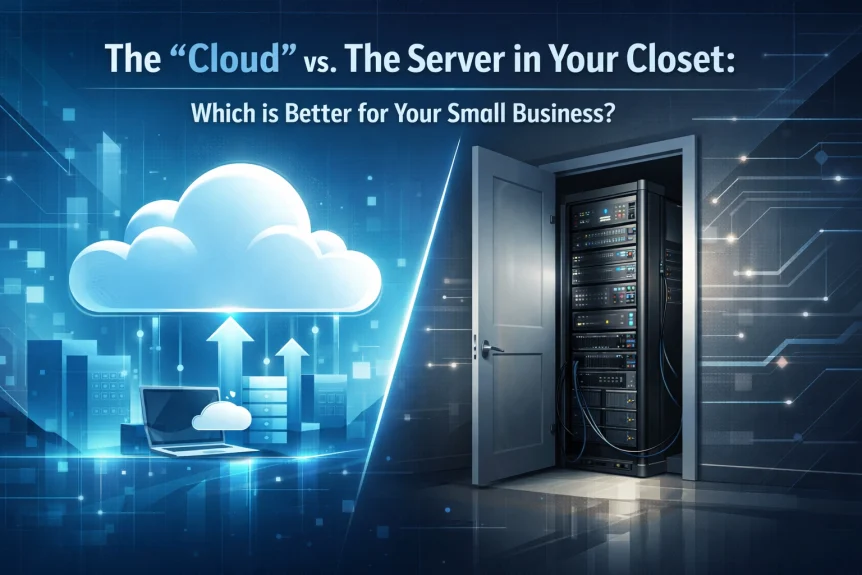
You know the one.
The beige box humming in the supply closet. Collecting dust. Running hot. Hosting your files, email, and database.
It worked fine in 2015.
Now it's a liability.
Cloud migration services have become standard for small businesses. Not because cloud is trendy. Because maintaining physical servers doesn't make financial sense anymore.
Here's what you need to know.
The Real Cost of That Closet Server
Initial hardware investment: $5,000–$15,000 for a decent small business server.
Ongoing costs:
- Annual maintenance contracts
- Replacement parts
- Power consumption (servers run 24/7/365)
- Climate control requirements
- Physical space allocation
- IT staff time for updates, patches, monitoring
Hidden costs:
- Downtime when hardware fails
- Data loss from backup failures
- Security vulnerabilities in aging systems
- Inability to access files remotely without additional infrastructure
- Upgrading every 3–5 years as hardware becomes obsolete

That server isn't saving money. It's draining resources you could deploy elsewhere.
How Cloud Services Actually Work
Microsoft 365 and Google Workspace operate on subscription models.
Pay monthly per user. Typically $6–$30 per user depending on plan level.
What's included:
- Email hosting
- File storage and sharing
- Collaboration tools (Teams, Meet, Chat)
- Office applications (Word, Excel, PowerPoint or Docs, Sheets, Slides)
- Automatic backups
- Security updates
- 99.9% uptime guarantees
- Mobile device access
- Admin controls and user management
No hardware to buy.
No servers to maintain.
No climate-controlled closet required.
The OpEx vs CapEx Model
Capital expenditure (CapEx): Buy server upfront. Depreciate over time. Replace every few years. Large cash outlay.
Operational expenditure (OpEx): Pay monthly. Predictable costs. Scale up or down as needed. No depreciation tracking.
For small businesses with limited capital, OpEx wins.
You're not locking funds into depreciating hardware. Budget becomes predictable. Cash flow improves.
Scalability Without Overcommitment
Traditional server setup requires guessing future needs.
Buy too little capacity: run out of space in 18 months. Purchase another server.
Buy too much capacity: waste money on unused storage and processing power.
Cloud scales precisely.
Start with what you need:
- 5 employees = 5 licenses
- 50GB storage per user
- Basic email and file sharing
Grow when ready:
- Hire 3 more people = add 3 licenses
- Need more storage = upgrade plan
- Want video conferencing = enable feature
- All changes take minutes, not weeks
No wasted capacity. No premature hardware retirement.

IT Maintenance Reality Check
Servers require constant attention.
Monthly tasks:
- Security patches
- Software updates
- Backup verification
- Performance monitoring
- User access management
- Antivirus updates
Emergency tasks:
- Hardware failures
- Corrupted drives
- Network issues
- Power supply problems
- Overheating
- Ransomware recovery
Small businesses rarely have full-time IT staff. You're either:
- Paying expensive hourly rates for external IT support
- Burdening an employee who "knows computers" with server management
- Ignoring maintenance until something breaks
Cloud providers handle all maintenance. Automatic. Included in subscription.
Microsoft and Google employ thousands of engineers. They monitor systems 24/7. Security patches deploy automatically. Hardware failures affect you zero percent because infrastructure is redundant.
Your "IT staff" becomes cloud migration services for initial setup. Then basic user management.
Security Comparison
On-premises server security requires:
- Firewall configuration and monitoring
- Antivirus software (licensed and updated)
- Physical security (locked room, access control)
- Backup system (separate device or offsite storage)
- Disaster recovery plan
- Encryption configuration
- Network monitoring
- Regular security audits
Cloud security includes:
- Enterprise-grade firewalls
- Advanced threat protection
- Multi-factor authentication
- Automated backups (multiple geographic locations)
- Encryption at rest and in transit
- DDoS protection
- Compliance certifications (HIPAA, SOC 2, ISO 27001)
- Security operations centers monitoring threats
Small businesses cannot match enterprise security infrastructure. Period.

Remote Access Changed Everything
2020 proved one thing.
Businesses need remote access. Not someday. Today.
Closet server remote access requires:
- VPN setup and configuration
- Additional security layers
- Performance degradation (everyone connecting through single point)
- Complex troubleshooting
- Client software on every device
Cloud remote access requires:
- Web browser
- Login credentials
- Internet connection
That's it.
Employees work from home, coffee shops, client sites, anywhere. Same experience. Same files. Same collaboration tools.
No VPN knowledge required. No IT support calls about connection issues.
The Migration Process
Cloud migration services follow predictable steps.
Phase 1: Assessment
- Current server inventory
- Application compatibility check
- Data volume measurement
- User requirement analysis
- Timeline establishment
Phase 2: Planning
- Microsoft 365 or Google Workspace selection
- License allocation
- Migration method determination
- Cutover date scheduling
- Communication plan
Phase 3: Migration
- Email migration (preserves all folders, contacts, calendars)
- File transfer (maintains folder structure and permissions)
- Application reconfiguration
- User account creation
- Device configuration
Phase 4: Cutover
- DNS changes
- Email routing updates
- Old server decommission
- User training
- Support availability
Typical small business migration: 2–4 weeks from start to finish.
Minimal disruption. Emails continue flowing. Files remain accessible.

When On-Premises Makes Sense
Not every business fits cloud model perfectly.
Consider keeping physical servers if:
- Industry regulations prohibit cloud storage (rare but exists)
- Application requires low-latency local access
- Internet connectivity unreliable in your location
- Highly specialized legacy software won't run in cloud
- Extremely large data volumes with minimal collaboration needs
Most small businesses don't face these limitations.
Hybrid Approach Option
Some organizations split the difference.
Cloud for email and collaboration. On-premises for specialized applications or databases.
Provides flexibility. Reduces on-site infrastructure. Maintains control where needed.
We help businesses evaluate which approach fits their specific requirements.
Cost Comparison Example
Small business with 10 employees, 5-year comparison:
On-premises total cost:
- Server hardware: $10,000
- Setup and configuration: $2,500
- Annual maintenance: $1,200 × 5 = $6,000
- Power and cooling: $600 × 5 = $3,000
- Backup hardware: $1,500
- Unexpected repairs (conservative): $2,000
- IT support hours (10 hours/year at $150): $7,500
- Total: $32,500
Cloud total cost (Microsoft 365 Business Basic at $6/user/month):
- Subscription: $720/year × 5 = $3,600
- Migration services: $2,500
- Ongoing admin (2 hours/year at $150): $1,500
- Total: $7,600
Difference: $24,900 saved over five years.
Plus improved reliability, security, and accessibility.

What Happens to Your Old Server
After cloud migration services complete, that closet server becomes obsolete.
Options:
- Donate to nonprofit (possible tax deduction)
- Recycle through certified e-waste facility
- Repurpose for non-critical testing
- Dispose according to data security policies
Hard drives require secure wiping before disposal. We handle data destruction properly.
The physical space? Convert to storage. Coffee station. Anything but a heat-generating dust collector.
Making the Decision
Cloud isn't perfect for every situation. It's optimal for most small businesses.
Lower upfront costs. Predictable expenses. Better security. Remote accessibility. Automatic maintenance. Professional-grade infrastructure.
Your business likely fits this profile.
Next Steps
Evaluate your current infrastructure.
Calculate actual server costs (include hidden expenses).
Compare with cloud subscription pricing.
Consider cloud migration services for professional transition.
Have Questions? Contact us at 815-516-8075 or request more information.
We assess your specific situation. Provide accurate migration estimates. Handle technical complexity.
That server in your closet served its purpose. Time for an upgrade that doesn't require a closet.