
Category: blog
A business phone system does more than connect calls. It can direct callers, deliver messages, support remote staff, and connect call activity to everyday business tools.
The useful features are the ones that reduce missed calls and manual work. Start with four: auto-attendant, voicemail-to-email, call routing, and integrations.
X-Tek provides cloud and on-premise VoIP telephony. The right configuration depends on how your team handles calls, where staff work, and what systems they already use.
Auto-attendant

An auto-attendant answers incoming calls with a recorded greeting and menu. A caller might press 1 for sales, 2 for support, or enter an extension.
For a small business, a short menu is usually easier to use than a complex phone tree. Callers should reach the right person or team with minimal steps. Include an option to reach a person when possible.
A practical setup includes:
- A current business name and greeting
- A short list of common departments or destinations
- A dial-by-name directory, if staff need it
- A path for callers who do not know which option to select
- Separate greetings for open hours, after-hours, and holidays
- A clear destination when no option is selected
Keep the menu aligned with how the business actually works. If several menu options lead to the same person, combine them. If a department has no available staff at certain times, set an alternative destination or voicemail.
Review the greeting when business hours, staff, departments, or services change. Test it from an outside phone. Confirm that each selection reaches the intended destination and that callers are not left in a loop.
An auto-attendant is not a substitute for call routing. It gives callers a starting choice. Routing rules determine what happens next.
Voicemail-to-email

Voicemail-to-email sends a notification, audio file, or transcript to a designated inbox. Staff can review messages without calling into a mailbox or staying at a desk phone.
This can help teams respond faster when they work across locations or use mobile devices. It can also make shared messages easier to manage, provided recipients and follow-up responsibility are clear.
Set up voicemail-to-email with a few decisions:
- Which users or shared mailboxes receive each message
- Whether messages go to one person or an authorized team
- Whether audio, transcription, or both are delivered
- Who owns the response and how quickly it is expected
- How long messages are retained
- Which inboxes are approved for business communications
Transcription can make a message easier to scan, but it may misread names, phone numbers, or technical terms. Treat the transcript as a convenience, not a guaranteed record. Listen to the audio before acting on details that could affect a customer or transaction.
Email delivery also requires basic access controls. Voicemail may contain customer, employee, or business information. Avoid forwarding messages to personal inboxes without an approved business need. Use managed accounts, limit access to authorized recipients, and follow the organization’s retention and privacy policies.
Call routing
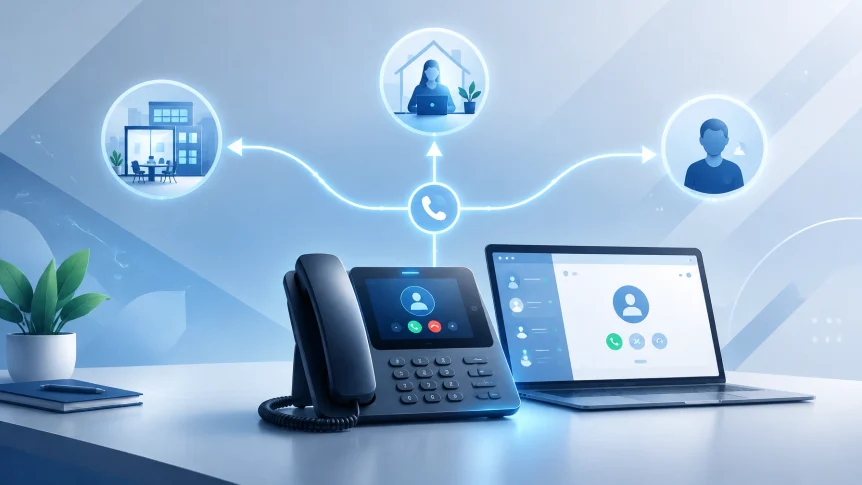
Call routing directs calls based on conditions such as time of day, staff availability, department, or queue status. It can send a call to a ring group, an employee’s phone, a queue, or voicemail.

Useful routing rules answer routine operational questions:
- Who receives calls during business hours?
- What happens when the first person does not answer?
- Where do calls go after hours?
- What happens when a queue is full?
- How are calls handled during an internet or power outage?
- Can staff answer business calls from approved mobile or desktop apps?
A simple ring group may work for a small team that shares responsibility for incoming calls. A queue may be more appropriate when calls need to wait for an available employee. Avoid adding queue steps or announcements that do not help callers understand what to do.
Set a defined overflow destination. A caller should not ring indefinitely if nobody is available. Options may include another team, an alternate number, a callback process, or voicemail.
Plan for continuity, not only normal operations. Confirm how calls are handled when the office is closed or the primary internet connection is unavailable. Test those scenarios before relying on them. Emergency calling and location settings should also be reviewed with the provider during setup, especially when staff use VoIP from multiple locations.
Routing is not a one-time configuration. Staff changes, schedule changes, and new locations can make existing rules inaccurate. Review the call flow periodically and after significant operational changes.
Integrations
A VoIP integration connects the phone system with business software such as a CRM, helpdesk, or productivity platform. Depending on the system and plan, it may support caller identification, click-to-dial, or call activity logging.
The goal is to reduce duplicate work. For example, a staff member may see a customer record when a call arrives, place a call from a CRM contact, or record that a call took place without entering the activity in two systems.
Before enabling an integration, confirm:
- The exact applications and editions supported
- Whether the integration works on desktop, mobile, or both
- Which call details are recorded
- Whether users must sign in or grant additional permissions
- How access is removed when an employee leaves
- Whether recordings, transcripts, or notes are stored in either system
Do not assume that a named integration includes every workflow. Feature availability can vary by provider, license, and configuration. Confirm the specific functions your staff need, then test them with a small group.
Review the information passed between systems. Call logs and transcripts may contain sensitive data. Apply access controls and retention rules that match your business requirements. For recorded calls, review applicable consent and compliance requirements before enabling recording.
Managed support
The features only help when call flows, devices, and user access are configured correctly. Managed VoIP support can cover setup and ongoing administration, including number porting, device provisioning, user changes, routing updates, troubleshooting, and coordination with the phone provider.
Support is also relevant to network readiness. VoIP call quality depends on the local network, internet connection, Wi-Fi coverage, and network equipment. A network issue may sound like a phone-system problem. Monitoring and troubleshooting across both systems can help identify the source.
When evaluating support, establish who handles:
- New users, extensions, and device changes
- Auto-attendant greetings and routing updates
- Call-quality issues and provider escalations
- After-hours settings and holiday schedules
- Service interruptions and failover procedures
- Security updates and access removal
Document support hours, response expectations, escalation contacts, and any provider responsibilities. The business should also retain a current call-flow diagram and a list of key account administrators.
X-Tek offers cloud and on-premise VoIP systems as part of its business IT services. Managed support can help keep phone configurations aligned with business operations as staff, schedules, and systems change.
Start with the daily call flow
Do not enable every available feature by default. Start with the calls your business receives and the work staff must complete after each call.
A useful baseline:
- Create a short auto-attendant menu.
- Route calls to the correct person, group, or queue.
- Set voicemail-to-email recipients and follow-up ownership.
- Connect the phone system to the CRM or helpdesk only where it saves manual effort.
- Test normal, after-hours, unanswered, and outage scenarios.
- Review access, message handling, and routing after staff or schedule changes.
For general VoIP feature considerations, see Zoom’s overview of business VoIP providers and capabilities. Feature availability varies by system and plan. Confirm details before selecting or changing a service.
To discuss business phone systems and support options, use the X-Tek Business Solutions Information Request.
Contact Information
Business Solutions Information Request:
https://xtekit.com/business-solutions-information-request/
815-516-8075