
Category: blog
The Target Profile
Small and medium-sized businesses remain high-volume ransomware targets.
Reasons include:
- Valuable customer and financial data
- Limited internal security staff
- Remote access requirements
- Cloud service dependencies
- Unpatched systems
- Reused credentials
- Flat network configurations
- Incomplete backup testing
Attackers do not need a large enterprise target.
They need an accessible environment with enough data to disrupt operations or support extortion.
Ransomware campaigns are increasingly automated.
SMB environments can be identified, scanned, compromised, and monetized with limited manual effort.
The target is often selected because access appears easier.
Common Entry Points
Ransomware attacks usually begin before encryption.
The initial compromise may involve:
- Phishing email
- Stolen credentials
- Exploited VPN or firewall vulnerabilities
- Exposed Remote Desktop Protocol
- Compromised remote management tools
- Malicious browser extensions
- Infostealer malware
- Cloud account takeover
- Unpatched public-facing applications
- Vendor or supply-chain access
The attack path often combines multiple weaknesses.
Example:
- An employee receives a credential-harvesting email
- The attacker obtains a cloud password
- MFA is bypassed through session theft or social engineering
- The attacker accesses email and remote tools
- Administrative credentials are obtained
- Backup systems are located
- Data is copied
- Systems are encrypted
- Extortion begins
A ransom note is often the final stage.
The compromise may have existed for days or weeks.
Phishing and Business Email Compromise
Email remains a primary delivery channel.
Messages may impersonate:
- Vendors
- Customers
- Executives
- Payroll providers
- Banking contacts
- IT support staff
- Shipping companies
- Cloud service providers
The request may involve:
- Opening a document
- Reviewing an invoice
- Approving a payment
- Resetting a password
- Calling a support number
- Entering a one-time code
- Installing a remote access tool
Email filtering reduces exposure.
MFA limits account takeover.
User reporting supports early containment.
All three controls are required.
Exposed Remote Access
RDP, VPN, remote support tools, and RMM platforms are operationally useful.
They also provide direct access when poorly configured.
Risk increases when:
- RDP is exposed to the internet
- MFA is not enforced
- Shared administrator accounts are used
- Login attempts are not monitored
- Access remains active after employee departure
- Remote tools are installed without approval
- Backup systems share the same credentials
CISA recommends limiting RDP and securing remote access through MFA-protected controls
https://www.cisa.gov/stopransomware/ransomware-guide
Unpatched Infrastructure
Attackers scan for vulnerable edge systems.
Common targets include:
- Firewalls
- VPN appliances
- Email gateways
- Web applications
- Remote desktop services
- File transfer systems
- Cloud management interfaces
- Network-attached storage
Patch management must include the systems that connect the business to the internet.
Endpoint updates alone are not enough.
An asset inventory is required.
Unsupported systems must be replaced or isolated.
AI-Enhanced Ransomware Operations
AI is increasing attacker speed and scale.
It is being used to improve existing methods rather than replace them.
More Convincing Phishing
Generative AI can produce messages with:
- Correct grammar
- Industry-specific language
- Realistic formatting
- Company terminology
- Appropriate timing
- Personalized requests
- Multilingual content
Poor spelling is no longer a reliable warning sign.
The message may appear to come from a known contact.
Verification procedures must be defined outside email.
Payment changes require independent confirmation.
Password reset requests require a separate verification method.
Automated Reconnaissance
AI-supported tools can process public information quickly.
Attackers may identify:
- Employee names
- Job responsibilities
- Vendor relationships
- Technology platforms
- Cloud services
- Public email addresses
- Remote access portals
- Technology support providers
This information can be used to create targeted lures.
Public information should be reviewed as part of security assessments.
Deepfake and Voice Impersonation
Voice and video impersonation can support fraud and credential theft.
A caller may appear to be:
- An executive
- A technology provider
- A bank representative
- A customer
- A government agency
No financial transfer or credential disclosure should be approved based on voice recognition alone.
Use established callback numbers.
Use dual approval for sensitive transactions.
Shadow AI
AI tools can create data exposure without a ransomware payload.
Employees may submit:
- Customer records
- Contracts
- Financial information
- Employee data
- Source code
- Internal procedures
- Credentials
- Product plans
AI tools should be inventoried.
Business accounts should be used.
MFA and SSO should be enabled where supported.
Sensitive data handling rules should apply to AI prompts, uploads, and connected integrations.
X-Tek provides additional guidance on managing AI risks in The AI Security Mistakes SMBs Keep Making.

Why Antivirus Is Not Enough
Endpoint protection is one control.
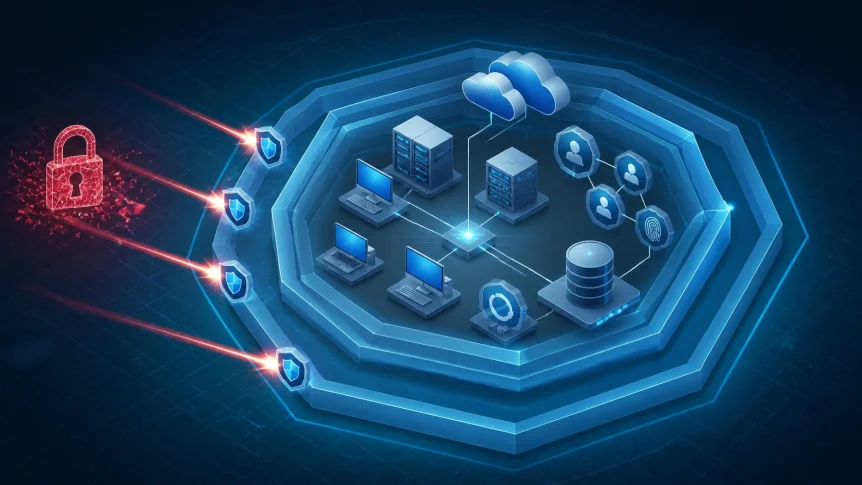
Ransomware defense requires multiple controls operating together.
Required layers include:
- Perimeter security
- Email filtering
- MFA
- Endpoint detection
- Patch management
- Identity monitoring
- Network segmentation
- Privilege management
- Backup isolation
- Restore testing
- Security awareness
- Incident response
A malware alert may identify the payload.
It may not identify:
- Stolen credentials
- Cloud account misuse
- Data exfiltration
- Suspicious administrative activity
- Unauthorized remote access
- Backup deletion
- Session hijacking
Monitoring must include users, endpoints, networks, cloud systems, and backup infrastructure.
X-Tek Layered Defense
X-Tek security services are structured around prevention, monitoring, response, and recovery.
1. Risk and Asset Review
Systems are identified.
Internet-facing services are reviewed.
Unsupported hardware and software are documented.
Administrative access is evaluated.
High-risk gaps are prioritized.
2. Identity Protection
MFA is enabled for:
- VPN
- Cloud administration
- Backup platforms
- Remote management tools
- Privileged accounts
Shared credentials are removed where possible.
Least privilege is applied.
Inactive accounts are disabled.
Password and session activity are reviewed.
3. Endpoint and Network Security
Devices are monitored.
Security updates are managed.
Suspicious processes are investigated.
Firewall rules are reviewed.
Unnecessary services are disabled.
Critical systems are segmented from general user access.
Network security should be treated as an ongoing process, not a one-time installation
4. Backup Protection
Backups must be:
- Automated
- Off-site
- Encrypted
- Access-controlled
- Isolated from production
- Protected against deletion
- Tested through restoration
A successful backup job does not prove recoverability.
Restore testing confirms:
- Files can be recovered
- Systems can be rebuilt
- Recovery times are acceptable
- Credentials are available
- Applications function after restoration
- Critical configurations are preserved

A practical model includes:
- Production data
- Off-site cloud backup
- Offline or immutable backup
Backup administration must use separate credentials.
Backup consoles require MFA.
Backup systems must not be treated as ordinary file shares.
5. Monitoring and Response
Security activity is monitored continuously.
Alerts may involve:
- Unusual login locations
- Excessive failed logins
- New administrator accounts
- Mass file changes
- Disabled security tools
- Unexpected remote sessions
- Backup deletion attempts
- Large outbound transfers
- Unapproved software
- Suspicious PowerShell or scripting activity
Response procedures should define who can:
- Isolate a device
- Disable an account
- Revoke sessions
- Block an IP address
- Stop a remote tool
- Protect backup systems
- Contact vendors
- Preserve logs
- Notify affected parties

Ransomware Readiness Checklist
Review these controls:
- All assets are inventoried
- Internet-facing systems are identified
- Critical patches are applied
- RDP exposure is removed or restricted
- MFA is enabled on remote access
- Administrative accounts are separated
- Email security controls are active
- Endpoint monitoring is enabled
- Network segmentation is configured
- Backups are isolated
- Backup restores are tested
- AI tools are inventoried
- Sensitive data rules are documented
- Incident response contacts are current
- Security monitoring is active outside business hours
Any “no” represents a control gap.
The response should be prioritized by business impact.
Critical systems first.
Public exposure next.
Identity and backup access after that.
What to Do After a Suspected Attack
Do not continue normal operations on an affected system.
Actions should include:
- Disconnect suspected devices from the network
- Preserve ransom notes and system evidence
- Disable compromised accounts
- Revoke active sessions
- Protect backup infrastructure
- Avoid deleting logs
- Contact the IT security provider
- Document known timelines and affected systems
- Follow the incident response plan
- Report the event when required
Do not assume that removing visible malware ends the incident.
Credentials may remain compromised.
Data may already have been copied.
Additional persistence may exist.
A full investigation is required before systems are returned to normal operations.
Security Requires Continuous Management
Ransomware tactics change.
Business systems change.
Employees, vendors, applications, and cloud services change.
Security controls must be reviewed as the environment changes.
X-Tek supports SMB security through managed IT services, network security, endpoint monitoring, cloud support, backup planning, and infrastructure maintenance
The objective is operational control:
- Fewer unmanaged systems
- Fewer exposed services
- Fewer privileged accounts
- Faster detection
- Verified recovery
- Documented response
Ransomware protection is not a single product.
It is a managed process across identity, infrastructure, endpoints, data, and people.
Contact Information
Business Solutions Information Request:
https://xtekit.com/business-solutions-information-request/
815-516-8075