
Category: blog
One business line across locations
Remote and hybrid teams need a phone system that follows the work, not the office address.
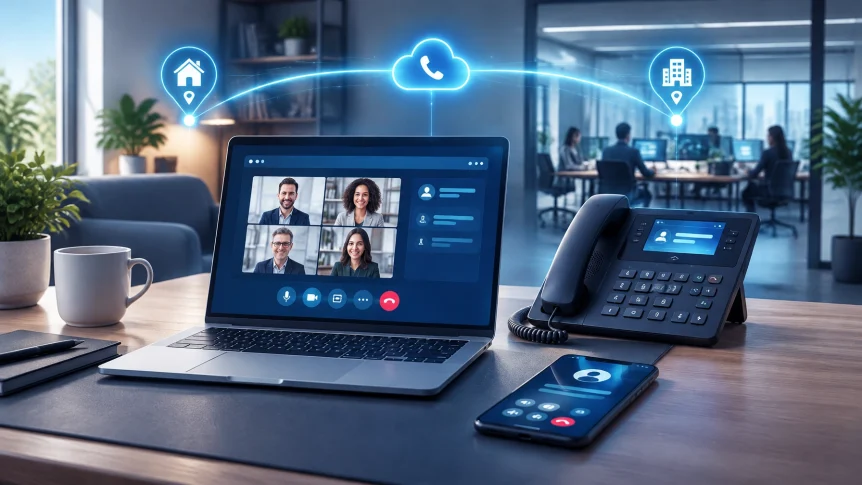
With managed VoIP, employees can make and receive business calls through a desk phone, computer softphone, or mobile app. The caller reaches the same business number. Staff can answer from the office, home, or an approved mobile location.
The system can also keep calls connected to the right person or team as work locations change.
X-Tek provides cloud and on-premise VoIP telephony. The right setup depends on your team, existing network, call flows, and support requirements.

Softphones for daily work
A softphone is an application that lets a computer or mobile device make and receive calls through the business phone system.
For remote employees, a desktop softphone can replace a desk phone or work alongside one. It can provide access to the business extension, caller ID, directory, voicemail, and call controls, depending on the platform and plan.
Mobile apps extend those functions when staff are away from their computer. A team member can use the business calling app while traveling between sites or working outside the office.
Before rollout, confirm that the selected apps support the functions your team needs. These may include:
- Call transfer and hold
- Voicemail access
- Team directory and presence
- Business caller ID
- Call queues or shared lines
- Business text messaging, where available
Test the app on the actual computers and phones your employees use. Check call quality on home Wi-Fi and cellular data. Verify that notifications, headset support, and sign-in work as expected.
Reachability without personal-number exposure
Employees should not have to share personal numbers with customers to stay reachable.
A business VoIP app can present the company number on outbound calls. Incoming calls to an employee’s extension can ring the desktop app, mobile app, or both. That keeps customer conversations within the business phone system.
Call forwarding can provide another route. Calls can be sent to a coworker, team queue, voicemail, or approved external number. The destination and timing should be set deliberately.
A useful routing plan answers practical questions:
- Who answers the main number during business hours?
- What happens when the first person is unavailable?
- Which calls go to a shared queue?
- Where do calls go after hours or during holidays?
- Who can change forwarding rules?
Use simultaneous or sequential ringing when several team members may answer. Use queues and escalation rules when calls need to reach the next available person. Avoid leaving the main business number permanently forwarded to a personal phone without controls.
Forwarding changes should be limited to authorized users. Temporary routes should have an end date and be reviewed after use. This reduces the chance that a call continues to reach an outdated or unintended destination.

Keep call flows consistent
A hybrid team may work across different schedules and locations. The phone system should reflect those operating patterns.
Business hours, holidays, and after-hours handling can be configured through call routing. An auto-attendant can direct callers to a department or extension. A shared queue can distribute calls among staff. Voicemail can capture calls when no one is available.
These settings should match how the business actually works. A routing plan that sends every call to one remote employee can create a bottleneck. A queue with no escalation path can leave callers waiting. A holiday schedule that is not reviewed can send calls to a closed office.
Map the flow before changing the phone system:
- List the public numbers and departments.
- Identify the people or queues that should receive each call.
- Set business-hours, after-hours, and holiday destinations.
- Define what happens when a call is unanswered.
- Test each path from an external phone.
Review the call flow when staffing or office schedules change. Keep the main number, extensions, and routing rules documented for administrators.
Secure apps and devices
Softphones extend business calling beyond the office network. That flexibility also makes endpoint security important.
Use approved apps and supported software versions. Keep operating systems and applications updated. Protect computers and phones with screen locks and device encryption where available. For company-managed mobile devices, apply the organization’s device-management and app-protection policies.
Protect sign-in and administration:
- Require multifactor authentication where supported.
- Assign permissions by job role.
- Use separate administrator accounts.
- Remove access promptly when an employee leaves.
- Review devices, users, and forwarding rules regularly.
- Monitor call and configuration logs for unusual activity.
Restrict who can change call routing, voicemail settings, and international calling permissions. Ask the provider what call activity and configuration events can be logged, and how long those records are retained.
For sensitive calls, confirm the platform’s security options with the provider. The UK Department for Work and Pensions’ Voice and Video Communications Security Standard covers controls including softphone security, access management, patching, encryption, and logging. It is a government standard, not a substitute for your own requirements or a provider review.

Plan for network changes and interruptions
Call quality depends on the connection between the device and the VoIP service. Home routers, Wi-Fi coverage, internet congestion, VPN settings, and cellular reception can all affect a call.
Before deployment, test from representative work locations. Confirm that the network can support simultaneous calls. Where applicable, configure quality-of-service rules and review firewall requirements with the VoIP provider. A VPN may affect call routing or quality, so include it in testing rather than assuming it will work unchanged.
Plan for internet or power interruptions. Depending on the platform, calls may be routed to another location, mobile app, or voicemail. Confirm which failover options are available and decide who should receive urgent calls if the main connection is unavailable.
Remote staff should also know how emergency calling works from the app or device they use. Confirm location settings and procedures with the provider, especially for employees who work from multiple addresses.
Managed VoIP with X-Tek
Managed VoIP involves more than enabling user accounts. It includes call-flow planning, configuration, endpoint setup, network review, and ongoing support.
X-Tek can assess your current phone and network setup, help plan cloud or on-premise VoIP, configure users and call routing, and support the system after implementation. The scope is based on your business requirements and selected platform.
For more background, see Do You Really Need a VoIP Phone System?. To discuss a remote or hybrid team setup, use the Business Solutions Information Request.
Deployment checklist
Before moving users to a managed VoIP system:
- Confirm which users need desktop apps, mobile apps, desk phones, or a combination.
- Document extensions, public numbers, queues, and forwarding destinations.
- Test incoming and outgoing calls from office, home, and mobile networks.
- Verify caller ID, voicemail, transfers, and escalation rules.
- Set access, MFA, device, and software-update requirements.
- Confirm emergency calling and outage procedures.
- Assign a system owner to review users and routing changes.
A managed system can give remote and in-office employees a consistent way to reach customers and coworkers. The result depends on configuration, network readiness, and ongoing administration.
Contact Information
Business Solutions Information Request:
https://xtekit.com/business-solutions-information-request/
815-516-8075