
Category: blog
The integration layer
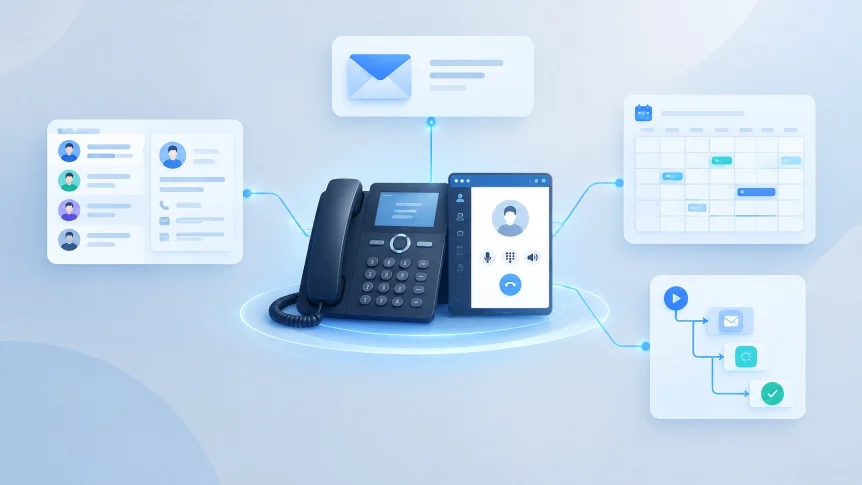
A business phone system can do more than place and receive calls.
When connected to the right business tools, it can attach calls to customer records, create follow-up tasks, notify staff, and support appointment scheduling.
The value depends on the setup.
A reliable integration connects the phone platform to business applications through supported APIs, webhooks, or vendor connectors. It also accounts for access permissions, outages, duplicate events, and changes to user accounts.
X-Tek provides both cloud and on-premise VOIP telephony, along with managed IT support. The right setup depends on the phone platform, applications, network, and operating requirements.

CRM: connect calls to customer records
CRM integration can display a matching contact record when a call arrives. Staff can see relevant customer details before answering, where the platform supports screen pop or contact lookup.
Calls can also be logged to the record.
Common fields include:
- Call direction
- Start time and duration
- User or extension
- Call outcome
- Follow-up task
- Recording link, when enabled
A successful match depends on clean contact data. Phone numbers should use consistent formats. Duplicate records should be reviewed. Shared or outdated numbers need a defined handling rule.
Caller ID alone does not verify a caller’s identity. It is a lookup aid, not an authentication method.
For outbound calls, click-to-call can let staff dial a number from a CRM record. The integration should use approved caller ID settings and record the result against the right contact.
Email: route call information where it is needed
Email can support phone workflows without becoming a second system of record.
Examples:
- Voicemail notifications sent to an assigned mailbox
- Missed-call alerts delivered to a team
- Call summaries or follow-up tasks sent to the responsible employee
- Appointment confirmations sent after a booking
Email notifications should contain only the information recipients need. A voicemail attachment or recording link can expose sensitive content if it is forwarded, retained, or accessed by the wrong account.
Access controls and retention rules should match the business’s requirements. Shared mailboxes should have named users and regular access reviews.
Calendars: schedule callbacks and appointments
Calendar integrations can help staff book calls, consultations, or service appointments.
A workflow may check availability, create an event, send a confirmation, and add callback details. Some phone platforms also support reminders or meeting links.
The integration needs clear rules for:
- Which calendar is authoritative
- Who can book or change an appointment
- Which time zone applies
- How cancellations and rescheduling are handled
- What information appears in event descriptions
Time-zone and daylight-saving changes can produce incorrect bookings if they are not handled consistently. Calendar events should also be protected from exposing customer details to people who do not need them.
Workflow automation: reduce manual follow-up
Call events can trigger actions across business tools.
For example:
- A missed call creates a CRM task
- A completed call updates an interaction record
- A voicemail triggers an alert to the assigned employee
- A booked appointment creates a calendar event
- An unanswered call is routed to another queue or destination
Automation should have a defined owner and a clear exception path. A task should not be created repeatedly because a webhook was delivered more than once. A customer should not receive repeated notifications because a workflow retried after an application outage.
Each action needs a rule for retries, duplicate detection, and escalation. For consequential updates, such as changing a customer’s status or sending a commitment, human review may be appropriate.

IT setup for dependable integrations
Network and voice quality
Voice traffic depends on the network. Congestion, poor Wi-Fi coverage, incorrect firewall rules, or unstable internet can affect call quality and system availability.
Before deployment, the network should be reviewed for:
- Available bandwidth and expected concurrent calls (a quick quality test can confirm what your connection can actually support)
- Wired connections for desk phones where practical
- Quality of Service rules for voice traffic
- Firewall and NAT behavior
- Wireless coverage for users on softphones
- Power protection for network equipment
- Internet failover and call-routing options
QoS settings must match the equipment and traffic paths in use. A rule applied in the wrong place may not improve voice quality. Testing should include busy periods, remote users, and failover conditions.
X-Tek’s IT infrastructure services include network design and maintenance. Network readiness is part of making phone integrations reliable.
Integration security
Phone systems and business applications exchange customer and call data. Their connections need appropriate controls.
Use supported HTTPS APIs and secure webhook endpoints. Apply least-privilege access. Use separate credentials for each integration where possible. Store secrets securely, rotate them when required, and remove access when a user or service no longer needs it.
Webhook requests should be validated using the provider’s supported signature or authentication method. Integration services should reject unauthorized requests and avoid logging passwords, tokens, or unnecessary personal information.
For SIP systems, security measures may include restricting access to trusted endpoints, securing administration, and enabling encrypted signaling and media where supported. The details depend on the platform and network design. See Twilio’s SIP security guidance and NIST’s VoIP security publication for technical reference.
Monitoring and recovery
An integration can fail while phone service remains available. A CRM update may be delayed. A calendar provider may be unavailable. A webhook may time out.
Monitoring should cover both the voice platform and the connected workflows.
Useful checks include:
- Phone registration and call-routing status
- Call failures and unusual call patterns
- Webhook delivery errors and processing delays
- Failed CRM writes or calendar updates
- Repeated retries and duplicate records
- Integration account expiration or permission changes
Automated processes should retry temporary failures safely and alert a support owner when recovery needs attention. Call processing should not depend on a CRM or calendar being available at that exact moment. Durable queues and reconciliation checks can help prevent events from being lost.
A managed rollout
A practical rollout starts with the business process, not the connector list.
- Identify the phone platform and business applications.
- Confirm which system owns contacts, calendars, and call records.
- Map the data each workflow needs to exchange.
- Review permissions, retention, and recording requirements.
- Test a small set of workflows with representative users.
- Confirm failure handling, reporting, and support ownership.
- Document the configuration and review it after application changes.
Start with high-value, low-risk workflows such as screen pops, call logging, and missed-call tasks. Add recording, transcription, or more complex automation only after access controls and data handling are reviewed.
X-Tek managed services can help assess the network, configure phone systems, connect business tools, and support the environment over time. See X-Tek’s overview of business VoIP systems for related deployment considerations.
For an integration review, use the Business Solutions Information Request.
Contact Information
Business Solutions Information Request:
https://xtekit.com/business-solutions-information-request/
815-516-8075